Is Your Store Actually Welcoming — Or Just Technically Open?
Here's a fun exercise: walk into your own store as if you've never been there before. Not as the owner who knows where everything is, who the staff are, and that the back door sticks a little. Walk in as someone who uses a wheelchair, or has low vision, or struggles with sensory overload, or simply doesn't speak English as their first language. How's that experience looking now?
Accessibility in retail is one of those topics that business owners mean to address — right after they handle staffing, inventory, marketing, rent, and roughly 400 other fires. But here's the thing: an inaccessible store isn't just a legal liability (and yes, the ADA is very much a real law with very real consequences). It's also bad business. An estimated 26% of U.S. adults live with some form of disability, and that's a customer base you simply can't afford to ignore — literally.
This 10-point checklist will help you audit your physical retail space honestly and take meaningful steps toward creating an environment where every customer feels genuinely welcome. Not just "technically compliant" welcome. Actually welcome.
The Physical Environment: What Your Store Says Before Anyone Opens Their Mouth
1. Entrances and Pathways That Work for Everyone
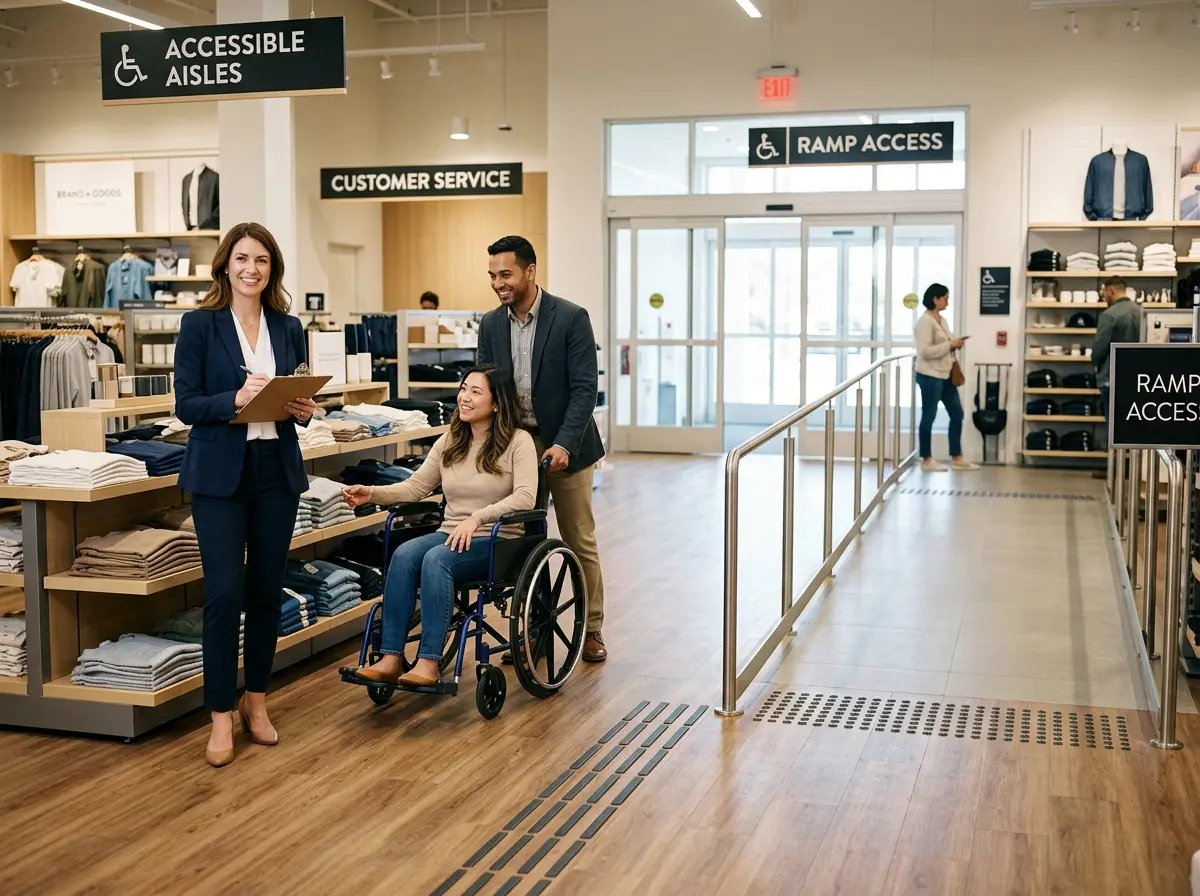
Your entrance is the first handshake. If it requires navigating a step, a heavy door, or a narrow threshold, you've already lost a segment of your customers before they've seen a single product. ADA guidelines require accessible routes with a minimum 36-inch clear width, and entrance doors should ideally have lever-style handles rather than round knobs. Automatic doors are even better — and increasingly affordable.
Once inside, check your aisles. Can a wheelchair or mobility scooter navigate comfortably? Are there seasonal display towers or promotional signage stands blocking pathways? Those charming rustic barrel displays might look great on Instagram, but if they're turning your main aisle into an obstacle course, they need to go — or at least be repositioned strategically.
2. Signage That Actually Communicates
Good signage is one of the most underrated accessibility tools in retail. At minimum, your permanent signs should use high-contrast colors, large sans-serif fonts, and Braille where required by law. But beyond compliance, think about whether your signage is genuinely useful. Is wayfinding clear enough that a first-time visitor can orient themselves without asking for help? Can someone with low vision read your price tags?
Tactile signage, pictograms, and multilingual labels are relatively low-cost additions that meaningfully expand your store's usability. Don't treat signage as an afterthought — treat it as part of your customer service infrastructure.
3. Restrooms, Fitting Rooms, and Service Counters
If your store has restrooms or fitting rooms, they need to meet ADA standards for turning radius, grab bars, door width, and mirror height. Service counters should include at least one section no higher than 36 inches so customers who use wheelchairs can interact comfortably with staff without having to crane their necks or shout up at someone.
This is also the moment to audit your checkout experience. Is your card reader reachable? Can customers see the screen clearly? Small adjustments here make a genuinely significant difference in whether customers feel respected or like an afterthought.
Technology and Communication: Accessibility Isn't Just Physical
4. Digital Touchpoints and In-Store Technology
Accessibility doesn't stop at the front door — it extends to every digital interaction your customers have with your business. Your website should meet WCAG 2.1 AA standards (screen reader compatibility, keyboard navigation, alt text for images). Your in-store kiosks or point-of-sale screens should be mounted at accessible heights with readable fonts and, ideally, audio assistance options.
This is where Stella, the AI robot employee and phone receptionist, offers a genuinely interesting accessibility angle. Stella's conversational kiosk can greet customers and answer their questions about products, services, hours, and promotions entirely through natural conversation — which is particularly helpful for customers who find reading small print difficult, feel intimidated asking staff questions, or simply prefer spoken interaction. On the phone side, Stella answers calls 24/7 with the same business knowledge, ensuring customers who rely on phone communication (a common preference among elderly customers and many people with disabilities) always reach a knowledgeable, patient, consistent voice rather than a voicemail box.
5. Staff Training and Communication Practices
Technology is only part of the equation. Your team needs to know how to interact respectfully and effectively with customers who have disabilities. This means speaking directly to the customer rather than their companion, not assuming what assistance is needed, using plain language, and being genuinely patient. Training doesn't need to be a full-day seminar — even a focused 30-minute conversation with your team about best practices can meaningfully shift the culture of how accessibility is handled on the floor.
Sensory and Cognitive Accessibility: The Checklist Items Most Stores Miss
6. Lighting and Sensory Environment
Bright, flickering, or overly dramatic lighting can be a serious barrier for customers with migraines, photosensitivity, or sensory processing differences — including many autistic individuals. Evaluate whether your lighting is even and functional throughout the store, not just aesthetically interesting. Excessively loud background music is another common culprit. A sound level that makes it difficult to communicate or process information isn't just annoying — it's exclusionary.
Some forward-thinking retailers now offer designated "quiet hours" with reduced music, dimmed lighting, and fewer announcements. It costs almost nothing to implement and generates a remarkable amount of goodwill from the customers who need it.
7. Product Placement and Reach Ranges
ADA guidelines suggest that items within self-service retail should ideally be reachable within a 15–48 inch range from the floor. High shelving isn't just a problem for shorter customers — it's a genuine barrier for anyone who uses a wheelchair or has limited upper body mobility. Review your planogram with this in mind. Key products, especially high-margin or frequently purchased items, should be accessible without requiring assistance.
8. Clear Floor Space and Emergency Egress
Your store might look great and be fully ADA-compliant — until you run a weekend sale and pile boxes of clearance items in the aisle. Accessibility isn't a one-time audit; it's an ongoing operational standard. Build it into your team's daily checklist: are pathways clear, are emergency exits accessible and clearly marked, and is the path to the exit navigable for someone using a mobility device?
9. Parking and Exterior Access
If you have a parking lot, check that your accessible spaces are properly designated, close to the entrance, and connected to the building via a smooth, unobstructed path. Signage should be visible and the spaces should be the correct dimensions (typically 8 feet wide with an 8-foot access aisle for van-accessible spaces). Seasonal concerns matter too — snow, puddles, and cracked pavement become significant barriers that able-bodied customers barely notice.
10. Feedback Mechanisms and Continuous Improvement
The most accessible businesses are the ones that actively ask about accessibility. Create easy, low-friction ways for customers to share feedback — a comment card, a QR code linking to a short form, or simply training staff to invite it. Customers with disabilities are often reluctant to complain because they've learned it rarely changes anything. Proving them wrong is a significant competitive differentiator.
A Quick Reminder About Stella
Stella is an AI robot employee and phone receptionist built for businesses of all sizes — from busy retail stores to solo practitioners. She greets customers in person, answers phone calls around the clock, promotes your deals, handles intake, and manages customer information through a built-in CRM, all for $99/month with no upfront hardware costs. For businesses looking to improve their customer experience across the board, she's worth a look.
Your Next Steps: Turn This Checklist Into Action
Accessibility audits can feel overwhelming, but they don't have to be. Start by walking through this checklist yourself — physically move through your store with fresh eyes, or better yet, invite someone who has a disability to give you honest feedback. Document what you find, prioritize the fixes that are either legally required or low-cost and high-impact, and build a realistic timeline for the rest.
Some improvements cost almost nothing: repositioning a display, adjusting music volume, training your team, or adding a quiet hour to your weekly schedule. Others require investment — automatic doors, restroom renovations, better signage systems — but should be planned and budgeted for rather than perpetually deferred.
The goal isn't perfection on day one. The goal is a genuine, ongoing commitment to making your store a place where every customer feels capable of shopping independently, comfortably, and with dignity. That's not just the right thing to do — it's smart business, a stronger brand, and frankly, a much better store for everyone who walks through your door.
So go take that walk. The clipboard is optional. The honesty is not.