Your Menu Board Is Either Selling for You or Wasting Wall Space
Let's be honest — most quick-service restaurant owners install a digital menu board, load up their prices, and call it a day. The screen glows, customers squint at it, and everyone moves on with their lives. Meanwhile, the entire upselling potential of that beautiful display is quietly evaporating into the air along with the fryer grease.
Here's the thing: your digital menu board is not just a fancy replacement for a chalkboard. It's a salesperson that works every single shift, never calls in sick, and doesn't need a break to check its phone. When used strategically, it can meaningfully increase your average ticket size without requiring your staff to awkwardly ask "do you want fries with that?" for the thousandth time this week.
Digital menu boards, when paired with smart upselling strategy, can increase average order values by 3–5% — and in a high-volume QSR environment, that adds up fast. So if your screens are just displaying static prices, it's time to put them to work. Here's how.
Setting Up Your Digital Menu Board for Upselling Success
Design With the Customer's Eye in Mind
The first rule of upselling through a digital display is simple: people don't read menus, they scan them. Your board has roughly three seconds to catch attention and guide a customer toward a higher-value decision before they default to ordering whatever they always get. That means layout, contrast, and visual hierarchy matter enormously.
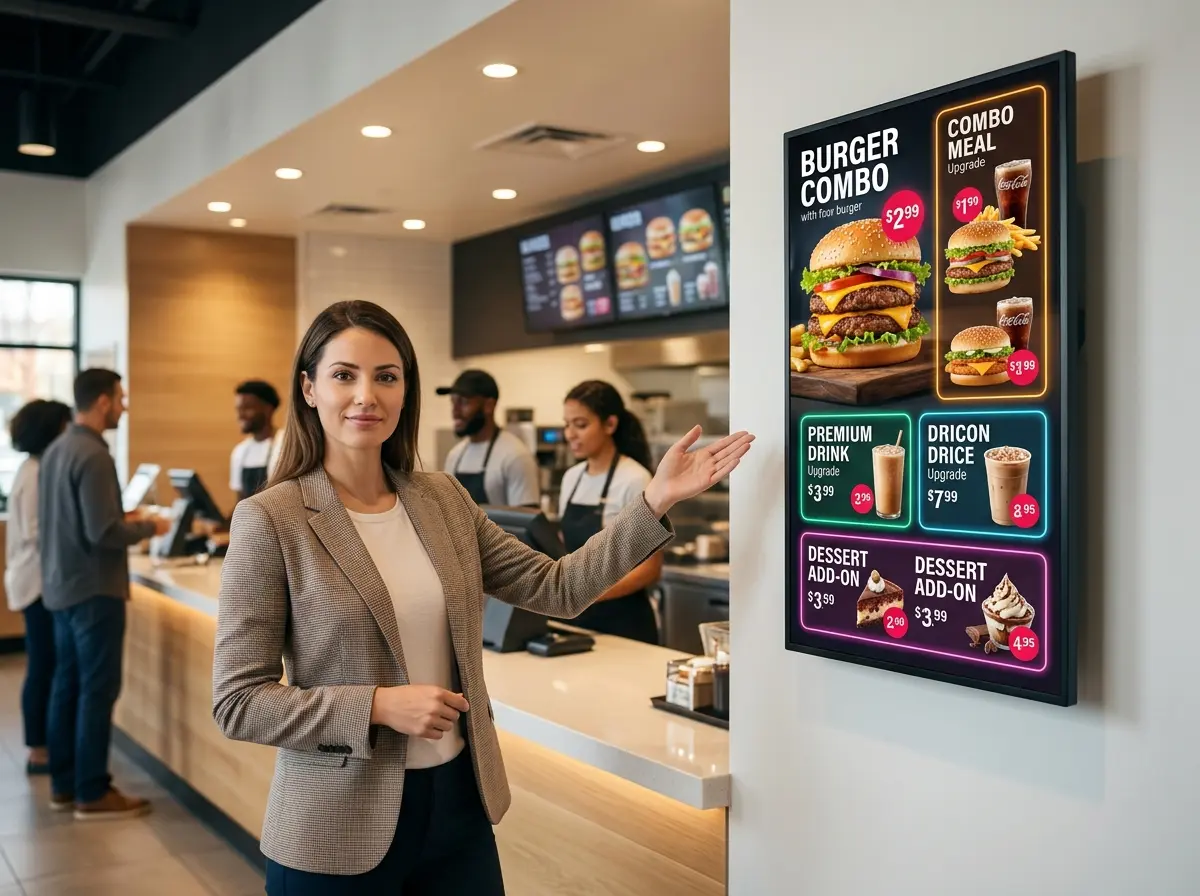
Place your most profitable upsell items — combo upgrades, premium add-ons, limited-time offerings — in the top-right zone of your display. Studies in menu psychology consistently show this is where eyes naturally travel first. Use bold typography and high-contrast colors to make these items pop. If you're displaying a burger, show the deluxe version with the works, not the base model. You're not deceiving anyone — you're just giving the best version of your product its moment in the spotlight.
Avoid cluttering the board with every single item you offer. Paradox of choice is real: too many options leads to decision fatigue, and decision fatigue leads to smaller, safer orders. Curate your board intentionally.
Use Dynamic Content to Suggest Contextually Relevant Items
One of the biggest advantages digital boards have over static signage is the ability to change content in real time. A good digital menu board system lets you schedule different content by time of day, day of the week, or even weather conditions — and this is where serious upselling magic happens.
Consider a coffee shop that promotes hot drinks and oatmeal combos on cold mornings, then switches to iced beverages and grain bowls by noon. Or a burger joint that highlights a loaded nacho app during the dinner rush but leads with breakfast sandwiches and coffee upgrades from 7–11 AM. These aren't accidents — they're deliberate, data-informed content decisions that match what customers are already in the mood to buy, and then nudge them one step further up the ticket ladder.
Most modern digital menu board platforms (such as ScreenCloud, Yodeck, or menu-specific tools like Tillster) offer scheduling and conditional display features. If yours doesn't, it may be time to upgrade your software — because static content in a dynamic world is a missed opportunity.
Highlight Add-Ons and Combos Visually and Verbally
Don't just list add-ons in small print at the bottom of the screen. Give them real estate and visual weight. A rotating slide or animation that says "Add Jalapeño Mac for $1.49" next to a mouth-watering photo does infinitely more work than a tiny line of text buried under the entrées.
Use clear, benefit-driven language. Instead of "Add a side," say "Make it a Meal." Instead of "Extra Cheese +$0.75," say "Go Full Melt — Add Cheese." Small word choices signal value rather than cost, which subtly shifts the customer's mental framing from "am I spending more?" to "am I getting more?"
How Technology Like Stella Can Amplify Your Upselling Game
Bridging the Gap Between Digital Displays and Human Interaction
Digital menu boards handle the visual upsell beautifully, but sometimes customers have questions, hesitate, or simply want a recommendation before they order. That's where a physical presence on your floor becomes valuable — and it doesn't always have to be a human one. Stella, the AI robot employee and phone receptionist, can stand right inside your restaurant, greet customers as they walk in, and conversationally recommend items, combos, or current specials in real time. While your menu board does the visual heavy lifting, Stella handles the conversational nudge — the digital equivalent of a friendly staff member saying "the double stack is really popular today." She never forgets to mention the upsell, never feels awkward about it, and never has an off day.
Beyond the dining floor, Stella also answers your phone calls 24/7 — so when customers call ahead to ask about your menu, specials, or current promotions, she's ready to mention the right upsells there too. It's consistent, brand-aligned promotion across every touchpoint, without adding to your team's workload.
Measuring, Testing, and Optimizing Your Upsell Strategy
Track What's Actually Working
You can't optimize what you don't measure. If you're running promotional upsell content on your digital boards, you need to know whether it's actually moving the needle — and that means comparing data. Look at your average ticket size before and after introducing specific upsell content. Track which items you're featuring on the board and cross-reference that with your POS sales data weekly.
Many QSR owners are surprised to discover that not all upsells are created equal. A dessert upsell at lunch might underperform, while the same dessert promoted during evening hours with a warm, indulgent visual gets added to nearly one in four orders. Context matters, and your data will tell you the truth — if you're willing to look at it.
A/B Test Your Creative and Messaging
If your digital menu board software allows for content scheduling and multiple display zones, you have the ability to informally A/B test different upsell messages, visuals, and placements. Run one version of a combo promotion for two weeks, then swap in a revised version — different image, different copy, different placement — and compare results. It's not a scientific double-blind study, but it gives you actionable directional data that's far better than guessing.
Pay particular attention to:
- Image quality and styling — professional food photography outperforms casual shots dramatically
- Offer framing — "Save $1.50 with a combo" vs. "Add a drink and fries for just $2" can produce very different responses
- Animation vs. static — subtle motion draws the eye, but excessive animation becomes visual noise
- Placement on the board — test top-right, center feature zone, and dedicated upsell panels separately
Refresh Your Content Regularly — Seriously, Don't Skip This
One of the most common and completely avoidable mistakes QSR owners make with digital boards is letting the content go stale. Customers who visit your restaurant regularly will mentally tune out a board they've seen fifty times. Rotating seasonal promotions, limited-time offers, and featured upsells keeps the board visually fresh and creates a gentle sense of urgency — the "available for a limited time" frame is one of the most effective psychological triggers in retail and food service alike.
Set a calendar reminder. Update your board content at minimum once a month, and ideally every two to three weeks. If you're running a seasonal promotion, build the content swap into your launch plan — not as an afterthought.
A Quick Reminder About Stella
Stella is a human-sized AI robot employee and phone receptionist built for businesses like yours. She greets customers in-store, promotes your specials and upsells conversationally, and answers your phone calls around the clock — all for just $99/month with no upfront hardware costs. She's the team member who's always on, always on-brand, and never has a bad shift.
Put Your Screens — and Your Strategy — to Work
Digital menu boards are one of the highest-leverage tools available to quick-service restaurant owners, and most of them are being used at about 20% of their potential. If your current setup is doing nothing more than displaying prices, you're leaving real money on the table — one unupsold combo at a time.
Here's where to start:
- Audit your current board layout — are your most profitable items in prime visual real estate?
- Set up time-based content scheduling — match your upsell promotions to daypart purchasing behavior
- Upgrade your imagery and copywriting — invest in proper food photography and benefit-forward language
- Connect your board strategy to your POS data — measure average ticket size before and after changes
- Commit to regular content refreshes — build it into your operations calendar, not just your good intentions
Your digital menu board is already paid for and already on the wall. The question is whether it's earning its place. With the right strategy, it can be one of the most effective — and most underrated — members of your sales team. And if you want to give it some conversational backup, well, that's exactly what Stella is there for.