Your Products Have Stories. Are You Actually Telling Them?
Picture this: a customer walks into your store, picks up a product, squints at the label, shrugs, and puts it back down. Sale lost. Story untold. Meanwhile, you've got incredible things to say about that product — where it came from, why it works, what makes it different from the cheaper version two shelves over. But you weren't there to say it, your staff was busy, and the packaging just... wasn't enough.
Here's the uncomfortable truth: most in-store products are mute. They sit there looking pretty (or not), hoping customers will somehow intuit their value through packaging alone. In an era where consumers are more research-hungry than ever — with 81% of shoppers conducting online research before making a purchase — the gap between "what your product is" and "what your customer understands about it" can be the difference between a thriving store and a revolving door of missed conversions.
Enter the humble QR code. Once the laughingstock of the marketing world (remember the early 2010s?), QR codes have had a serious glow-up. Smartphone penetration and the pandemic-era normalization of scanning made them genuinely useful again. And when used strategically in-store, they become a powerful bridge between your physical shelf space and the rich, compelling story your products deserve to have told.
Let's talk about how to do this right.
Building a QR Code Strategy That Actually Works
Slapping a QR code on a shelf tag and calling it "digital storytelling" is the retail equivalent of putting a "wet paint" sign on a wall and calling it art. Strategy matters. Here's how to build one worth having.
Know What Story You're Trying to Tell
Before you generate a single QR code, get clear on the narrative. Every product has multiple potential stories — origin stories, how-it-works explanations, social proof, comparison guides, or behind-the-scenes manufacturing content. The key is matching the right story to the right customer at the right moment in their buying journey.
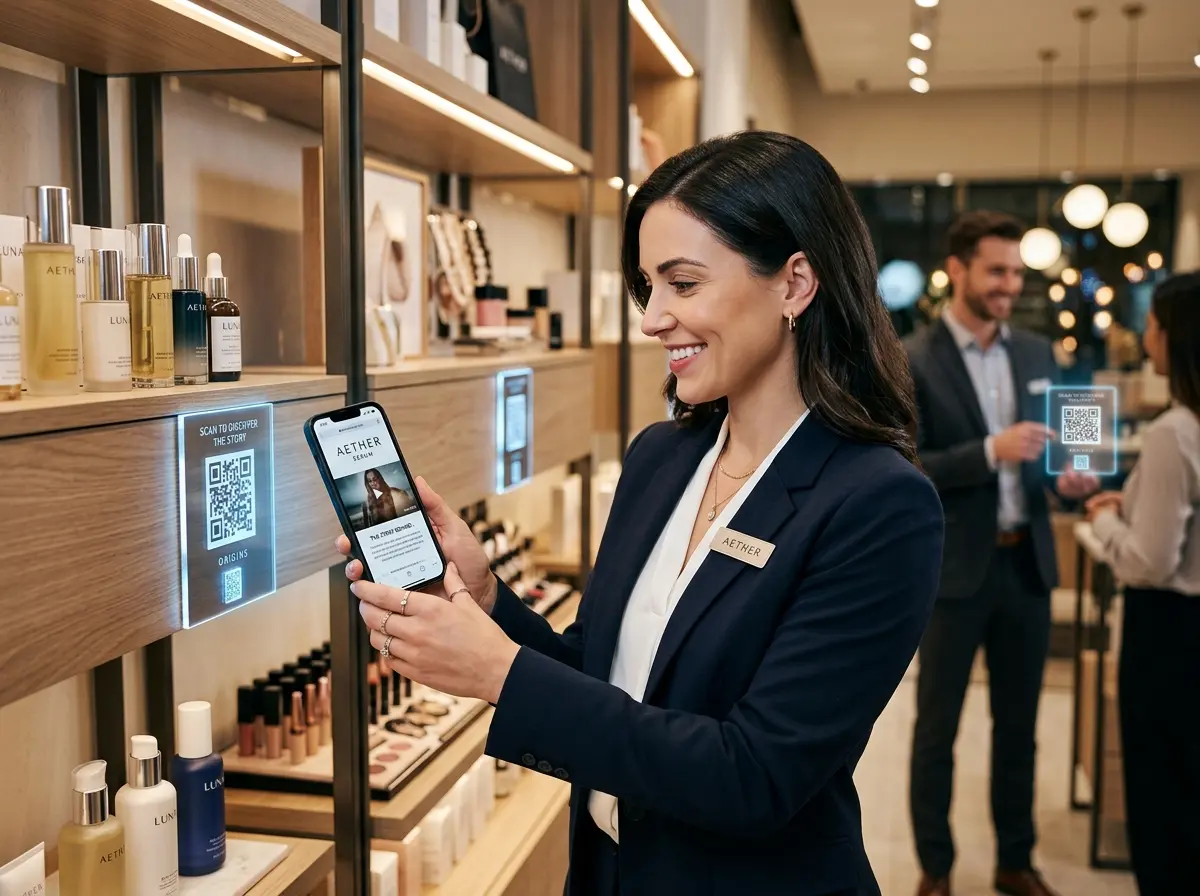
A skincare brand, for example, might link a QR code to a short video explaining why their serum uses a specific active ingredient — and why that matters for sensitive skin. An artisan food shop might link to a 90-second clip of the farm where their honey comes from. An auto parts retailer might link to a compatibility guide and installation tutorial. The point is: every story should serve a purpose, whether that's building trust, reducing purchase hesitation, or justifying a premium price point.
Design QR Codes That Invite Scanning
Nobody scans a QR code they don't notice, and nobody notices a QR code that looks like an afterthought. Placement, design, and context all matter more than most business owners realize.
Here are some practical placement and design principles:
- Position at eye level and within natural reach of the product itself — don't make customers hunt for the code.
- Use a clear call-to-action alongside the code. "Scan to see how this is made" outperforms a lonely QR code every single time.
- Brand your QR codes with your logo or brand colors where possible — modern QR generators support this and it signals legitimacy.
- Test before you print. Seriously. Print a test sheet and scan it with three different phones before ordering 500 shelf talkers.
Size matters too. A QR code smaller than 1 inch square is asking for scanning failures and frustrated customers. Bigger is generally better, especially if your store lighting isn't perfect.
Send Customers Somewhere Worth Going
This is where most QR code strategies fall apart spectacularly. The scan itself is just the beginning — what happens next determines whether the customer feels rewarded or robbed of 10 seconds of their life. Sending someone to your generic homepage is a crime against customer experience. Sending them to a well-crafted, mobile-optimized landing page that tells the story of that specific product? That's how you convert curiosity into confidence.
Your QR code destinations should load in under three seconds on mobile, require zero pinching or zooming, and get to the point fast. Consider short videos (under two minutes), customer testimonials, ingredient or material breakdowns, comparison charts, or even a live demo. Think about what a knowledgeable salesperson would say if they had two minutes with that customer — then build that digitally.
Enhancing In-Store Storytelling with a Little AI Muscle
QR codes are a fantastic tool, but they work even better when they're part of a broader in-store experience that's actually, you know, alive. That's where Stella comes in — an AI robot employee and phone receptionist designed for businesses just like yours.
Stella as Your Always-On In-Store Storyteller
Imagine a customer scans a QR code, gets curious, and then has a follow-up question that the landing page doesn't answer. Normally, that question either goes unanswered or interrupts your staff mid-transaction. Stella solves this elegantly. As a human-sized AI kiosk stationed inside your store, she proactively engages customers, answers product questions, explains promotions, and even upsells or cross-sells — all without a break, a bad day, or a distracted moment. Your QR codes can point customers toward Stella for live interaction, turning a passive digital touchpoint into an actual conversation. And when your store is closed? She's answering phone calls as your AI receptionist, fielding questions about products, hours, and policies at 2 a.m. with the same knowledge she brings in person.
Measuring What's Working and Iterating Intelligently
Running a QR code campaign without tracking it is like sending out a marketing email and never checking the open rate. You're flying blind, and flying blind is expensive. The good news is that QR code analytics are genuinely accessible now, even for small business owners without a dedicated marketing team.
Track the Metrics That Actually Matter
Most QR code platforms — Bitly, QR Tiger, Flowcode, and others — offer built-in analytics dashboards. At minimum, you should be tracking scan volume by code, scan time and location data, and device type. But don't stop there. Connect your QR codes to Google Analytics (or whatever analytics platform your website uses) and track what happens after the scan. Did the customer watch the video? Did they add to a digital cart? Did they bounce in four seconds?
The scan is just the entry point. What matters is whether the content delivered on its promise and moved the customer closer to a purchase decision.
Run Simple A/B Tests Without Overthinking It
You don't need a data science degree to improve your QR code performance. Start small: create two versions of a shelf talker with different calls-to-action — "Scan to see how it's made" versus "Scan to see why customers love this" — and run them in different parts of your store for a month. See which gets more scans and which drives better downstream behavior on the landing page.
Similarly, test your landing page content. Does a short video outperform a written story with photos? Does customer testimonial content convert better than technical specifications? These tests take minimal effort and compound into significant improvements over time.
Refresh Content Seasonally to Stay Relevant
One of the most underrated advantages of QR codes over printed materials is that the code itself never changes — but the destination can. Link your QR codes to URLs you control, and update the content seasonally without reprinting a single shelf tag. Feature holiday gift messaging in December, highlight summer use cases in July, and swap in new customer reviews as you collect them. This keeps your in-store experience feeling fresh and current without a constant investment in new print materials. It also gives you a reason to run limited-time QR campaigns tied to specific promotions — which creates urgency and gives customers a reason to scan even if they've seen the code before.
A Quick Reminder About Stella
Stella is an AI robot employee and phone receptionist built for businesses of all sizes — from bustling retail shops to solo service providers. She stands in your store engaging customers and answering questions all day, and she answers your phone calls 24/7 with the same business knowledge. At just $99/month with no upfront hardware costs, she's the team member who never calls in sick and never forgets a promotion.
Start Small, Then Scale What Works
If you've made it this far and you're thinking "okay, but where do I actually start?" — the answer is simpler than you might expect. Pick your top three best-selling or highest-margin products. Write down the one story about each product that you wish every customer heard before deciding. Build a simple mobile landing page for each one (even a well-formatted page on your existing website works). Generate branded QR codes with a clear call-to-action. Print them. Put them next to your products. Then watch what happens.
From there, you layer in analytics, test variations, expand to more products, and iterate based on real data. What you don't do is wait until you have a perfect strategy fully mapped out — because perfect is the enemy of running a better store this quarter.
Your products have incredible stories. Your customers want to hear them. QR codes, done right, are one of the most cost-effective tools you have for bridging that gap — no extra staff required, no printing overhaul, and no technological black magic. Just a little strategy, some good content, and the willingness to actually measure what you're doing.
Now go put those little squares to work.