Your Products Deserve Better Than Blurry Photos (And So Do You)
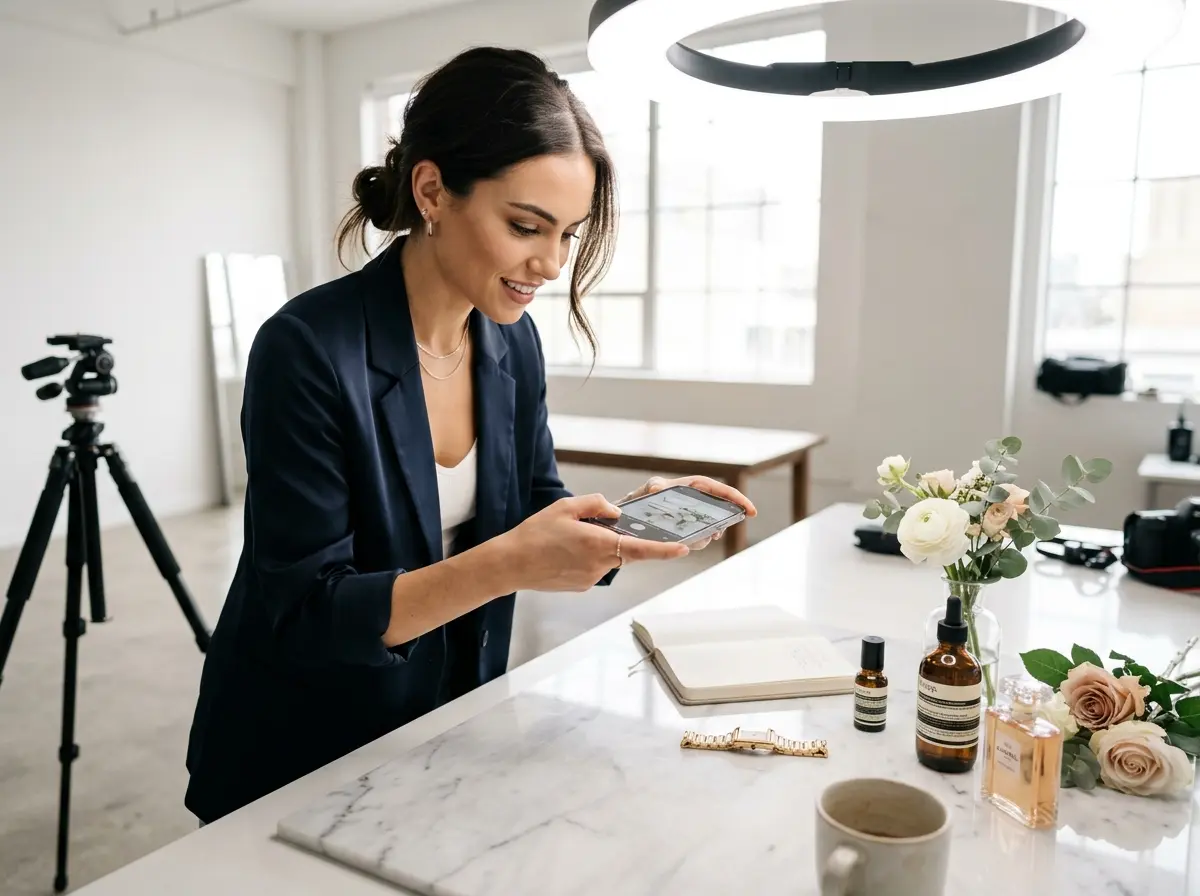
Let's be honest — we've all seen it. A product photo taken in bad lighting, slightly out of focus, with a pile of laundry visible in the background. Maybe you've even posted one. No judgment. Running a business is chaotic, professional photographers are expensive, and sometimes you just need a photo of that new inventory right now. The good news? Your smartphone is quietly sitting in your pocket with a camera that, used correctly, can produce genuinely stunning product photos — no photography degree required, no $3,000 mirrorless camera needed.
According to research by MDG Advertising, 67% of consumers say the quality of a product image is "very important" when making a purchase decision online. That's not a small number. That's the majority of your potential customers judging your product — and by extension, your brand — before they've read a single word of your description. So yes, this matters. Let's make it easy.
Setting the Stage: Preparation Is Everything
Clean Your Lens (Seriously, Just Do It)
Find Your Light (Natural Light Is Your Best Friend)
Lighting is, without exaggeration, the single most important factor in product photography. Good lighting can make a modest product look premium. Bad lighting can make even the most beautiful product look like it belongs in a discount bin. The best news? The best light source is free. Natural light from a large window produces soft, flattering illumination that's hard to replicate with artificial lights unless you're willing to invest significantly.
Use a Background That Doesn't Compete
Your background's only job is to make your product look good. That's it. It shouldn't tell its own story, show off your office, or accidentally feature your cat. A clean white or light grey background works for most products — you can achieve this with a piece of poster board from a craft store for about $1. For products with a lifestyle angle (think candles, food, skincare, or home goods), a simple textured surface like wood, marble contact paper, or linen fabric can add context without distraction. The rule of thumb is simple: if the background is pulling focus away from your product, it needs to go.
While You're Leveling Up Your Business Image
Let Stella Handle the Conversations While You Handle the Camera
Here's the thing — taking great product photos takes time and focus, and neither of those things happen easily when your phone is ringing every 20 minutes or when customers keep walking up with questions. That's where Stella, the AI robot employee and phone receptionist, comes in. For businesses with a physical location, Stella stands in-store and engages customers proactively — answering questions about products, services, hours, and promotions — so your staff can stay focused on operations. For any business, she answers phone calls 24/7 with the same knowledge she'd use in person, handles inquiries, and forwards calls to human staff only when needed. When you're in the middle of a product shoot and the phone rings, Stella has it covered. No interruptions, no dropped calls, no missed customers.
Capturing the Shot: Technique and Composition
Use a Tripod (Your Hands Are Shakier Than You Think)
Master Your Smartphone Camera Settings
- Lock focus and exposure separately. On most smartphones, you can tap and hold to lock focus, then slide a sun icon to adjust exposure manually. Use this to prevent the camera from auto-adjusting mid-shot.
- Turn off digital zoom. Digital zoom degrades image quality significantly. Instead, physically move the camera closer to the product or use your phone's optical zoom if it has one.
- Shoot in the highest resolution available. If your phone offers a Pro or RAW mode, use it. It gives you far more flexibility when editing.
- Use grid lines for composition. Enable the grid overlay in your camera settings and use the rule of thirds — placing your product at an intersection point rather than dead center often creates a more visually compelling image.
Take Multiple Angles and Don't Be Stingy with Shots
Editing: The Final Polish That Ties It All Together
Free Editing Apps That Do the Heavy Lifting
You don't need Photoshop. Apps like Snapseed (free), Adobe Lightroom Mobile (free tier available), and VSCO give you professional-level editing tools designed for mobile photography. The edits that will make the biggest difference for product photos are: increasing brightness slightly, boosting contrast to add depth, adjusting white balance so colors look true-to-life, and sharpening just a touch to bring out detail. Resist the urge to over-edit — the goal is for your product to look exactly as good in person as it does in the photo, not better. Oversaturated or heavily filtered product images lead to disappointed customers and returns, which nobody wants.
Create a Consistent Editing Style for Your Brand
A Quick Reminder About Stella
While you're investing time in elevating your brand's visual presence, Stella is available to make sure the customer-facing side of your business runs just as smoothly. She works as an in-store AI kiosk that greets and engages walk-in customers, and as a 24/7 phone receptionist for any type of business — answering calls, promoting your offerings, and only escalating when a human truly needs to step in. At $99/month with no upfront hardware costs, she's one of the most cost-effective ways to maintain a professional, always-available presence without adding to your payroll.