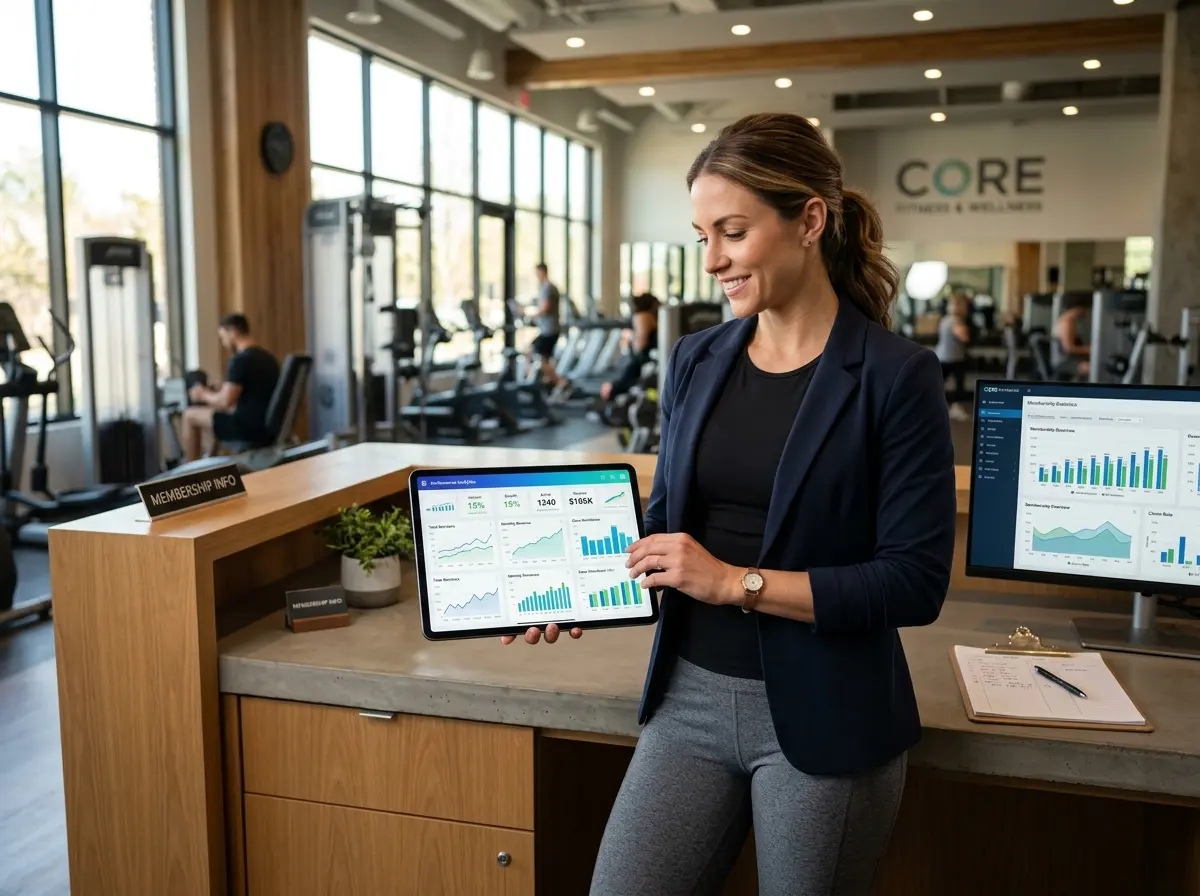
You Built a Gym. Now Build a Dashboard You'll Actually Use.
Let's be honest: most gym owners have, at some point, cobbled together a "performance dashboard" that lived in a spreadsheet, got updated twice, and was quietly abandoned somewhere between Q1 and never. You had good intentions. You were going to track everything — members, revenue, retention, leads. And then life happened, and now you're running your gym on vibes and the vague sense that things are "probably fine."
Here's the uncomfortable truth: what you don't measure, you can't improve. And in a competitive fitness market where member retention rates hover around just 60–80% annually depending on the segment, "probably fine" is not a growth strategy. A well-built performance dashboard gives you a daily snapshot of your gym's health — without requiring an MBA or three hours of data entry each morning. When done right, it's the first thing you check with your coffee and the last thing you review before you leave. This post walks you through exactly how to build one of those.
The Metrics That Actually Matter for Gym Owners
Member Metrics: Your Pulse Check
Not all numbers deserve real estate on your dashboard. The goal is signal, not noise. For gyms, the non-negotiables start with membership metrics: total active members, new member sign-ups, cancellations, and net member change for the current month. These four numbers tell you, at a glance, whether your gym is growing, shrinking, or treading water.
Beyond the basics, pay close attention to your churn rate — the percentage of members who leave in a given period. Industry benchmarks suggest that budget gyms lose members faster (sometimes 30–50% annually), while boutique and specialty studios with strong community culture retain far better. If your churn rate is creeping up, that's a conversation to have now, not after you've lost another 40 members.
Also worth tracking: visit frequency per active member. A member who visits once a month is a cancellation risk. A member who visits four or more times a week is an evangelist. Segmenting your members by engagement level lets you intervene early — a re-engagement email, a personal check-in, a targeted promotion — before they quietly disappear.
Revenue Metrics: Follow the Money
Your revenue section should include Monthly Recurring Revenue (MRR), total revenue for the month-to-date, and a breakdown by revenue stream: memberships, drop-ins, personal training, class packs, retail, and any other offerings you carry. Understanding where your money comes from is just as important as knowing how much of it there is.
Two ratios worth putting front and center: Average Revenue Per Member (ARPM) and your lead-to-member conversion rate. If you're generating 100 leads a month but only converting 10 of them, the problem probably isn't traffic — it's your follow-up process or your sales approach. Your dashboard should make that gap impossible to ignore.
Operational Metrics: The Behind-the-Scenes Numbers
Operational metrics are often overlooked because they feel less glamorous than revenue numbers. Don't make that mistake. Track staff scheduling efficiency (are you overstaffed during slow periods?), class capacity utilization (are your peak classes full while off-peak classes run at 20%?), and equipment downtime or maintenance flags if your facility management system supports it.
These numbers help you make smarter decisions about where to invest and where to cut — which is exactly the kind of clarity a daily dashboard should provide.
Tools, Automation, and a Little Help From Technology
Choosing Your Dashboard Tool and Tying It Together
The best dashboard is one that updates automatically, so you're not manually entering data every morning like it's 2009. Most gym management platforms — Mindbody, Gymdesk, ClubReady, ABC Fitness — have built-in reporting, but their native dashboards can be clunky or buried behind too many clicks. Consider pulling your key metrics into a dedicated tool like Google Looker Studio (free), Databox, or even a well-structured Google Sheet with automatic data imports. The goal is a single screen, updated daily, that shows you everything in under 60 seconds.
If you're on a tighter budget or just getting started, a Google Sheet connected to your gym software via Zapier or direct integrations can get you 80% of the way there at minimal cost. Build in color coding — green for on target, yellow for watch, red for action needed — so your brain can process the dashboard visually, not analytically, first thing in the morning.
How Stella Can Help You Capture Better Data
One of the biggest gaps in gym performance tracking isn't the dashboard itself — it's the data feeding into it. If you're missing lead source information, losing track of walk-in inquiries, or letting phone calls go unanswered during peak hours, your dashboard is working with incomplete data and giving you incomplete answers. This is where Stella, the AI robot employee and phone receptionist, quietly makes a big difference.
At the front of your gym, Stella's kiosk presence greets walk-ins, answers questions about memberships and class schedules, and collects prospect information through conversational intake forms — all of which flows into her built-in CRM. On the phone side, she answers every call 24/7, captures lead details, and generates AI-powered summaries so nothing slips through the cracks. That's cleaner, more complete data flowing into your systems — which means a more accurate dashboard and better decisions. At $99/month, she's considerably cheaper than a missed conversion.
Building the Dashboard: Structure, Cadence, and Commitment
Designing for the Way You Actually Work
A great dashboard respects your attention span. Structure yours with a clear visual hierarchy: the most critical metrics at the top (active members, MRR, net member change), supporting metrics in the middle (class attendance, conversion rate, ARPM), and deeper operational data at the bottom for when you have time to dig. Limit your top-level dashboard to no more than 10–12 metrics. If everything is important, nothing is.
Use date comparisons religiously. Every number on your dashboard should show the current value alongside the previous period — last month, last quarter, or the same month last year. A raw number in isolation is almost meaningless. "We have 312 members" tells you nothing. "We have 312 members, down from 334 last month" tells you a story — and probably a story that needs a response.
Building a Daily Review Habit
The fanciest dashboard in the world is useless if you look at it once a week and forget it exists by Wednesday. The trick to making daily reviews stick is ruthless simplicity and a consistent ritual. Keep your dashboard bookmarked and make it the first business tab you open in the morning — before email, before social media, before anything else. Schedule a standing 10-minute "dashboard check" in your calendar. Treat it as a non-negotiable meeting with your business.
Consider adding a brief weekly review layer — 20–30 minutes every Monday — where you look at trends, not just daily snapshots. Daily reviews catch fires. Weekly reviews catch patterns. Both are necessary.
Acting on What You See
A dashboard without action protocols is just decoration. For each critical metric, define in advance what you'll do when it hits a threshold. If new sign-ups drop below your weekly target by Wednesday, what's your response — a flash promotion, an outreach call to warm leads, a referral push to existing members? Document these protocols once, and when the dashboard goes red, you already know your move. This transforms your dashboard from a reporting tool into an actual operating system for your business.
Quick Reminder About Stella
Stella is an AI robot employee and phone receptionist designed for businesses like yours — she greets customers in person at a kiosk, answers phone calls 24/7, manages leads through a built-in CRM, and keeps operations running smoothly without breaks, bad days, or turnover. For gym owners specifically, she's a reliable front-of-house presence that captures lead data, promotes memberships, and ensures no inquiry — walk-in or phone call — ever goes unanswered. All for $99/month, no upfront hardware costs.
Start Simple, Stay Consistent, and Actually Use the Thing
Building a performance dashboard for your gym doesn't have to be a months-long project. Start with five metrics this week: active members, MRR, new sign-ups, cancellations, and your lead conversion rate. Get those populating automatically, build the daily review habit, and add complexity gradually as you grow comfortable with the process.
The gyms that outperform their competition aren't necessarily the ones with the best equipment or the lowest prices — they're the ones whose owners know their numbers and respond to them quickly. A daily dashboard is how you become that owner. So close the spreadsheet you haven't updated since February, pick your tool, define your metrics, and build something you'll actually look at. Your business deserves better than vibes.