The Scheduling Chaos That's Quietly Killing Your Chiropractic Practice
Picture this: It's a Tuesday afternoon, and two patients just walked through your door at the same time for the same appointment slot. Your front desk staff is giving each other the kind of looks that could curdle milk, your chiropractor is still with a previous patient who ran long, and the waiting room is starting to resemble a slightly uncomfortable social experiment. Meanwhile, three other appointment slots earlier in the day sat completely empty because no one caught the cancellations in time.
If any part of that scenario made you wince, you're not alone. Double-bookings and scheduling gaps are two of the most persistent — and most preventable — problems facing chiropractic offices today. According to research from the Medical Group Management Association, inefficient scheduling can cost a practice anywhere from 10% to 20% of its annual revenue through lost appointments, idle provider time, and patient attrition. That's not a rounding error. That's a real problem with a real solution.
The good news? A smart scheduling system, combined with the right front-end communication tools, can virtually eliminate both problems. Let's talk about how to build one.
Why Chiropractic Scheduling Goes Wrong (And How to Fix It)
The Double-Booking Problem Is Almost Always a Communication Failure
Double-bookings rarely happen because someone is incompetent. They happen because information isn't flowing properly between your booking channels. If a patient books online while your receptionist is simultaneously scheduling someone over the phone — and those two systems aren't synced in real time — you've got a collision waiting to happen. It's not dramatic. It's just a gap in your infrastructure.
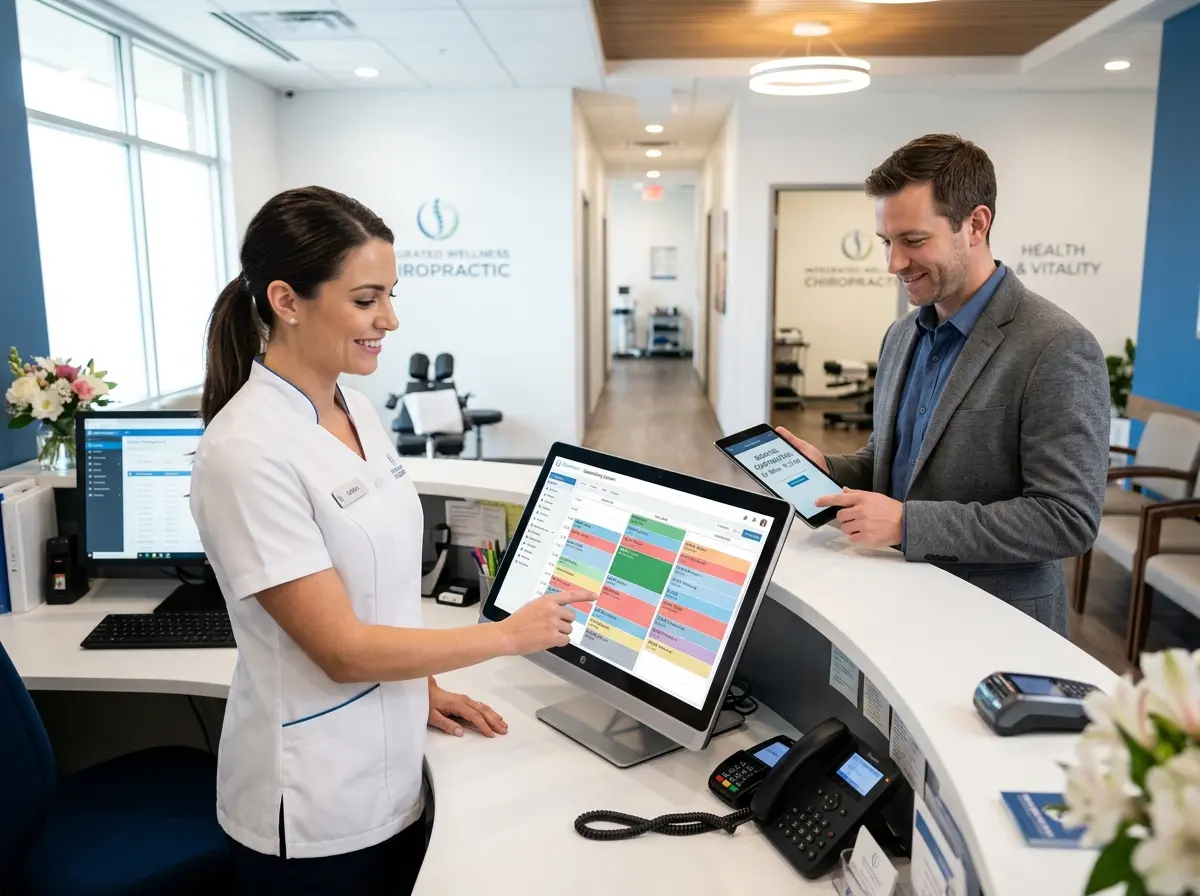
The fix starts with centralizing your scheduling into a single source of truth. Every booking channel — phone, website, walk-in, third-party apps — must feed into one calendar that updates instantly. If your online booking platform and your front desk software are two separate systems that "sync every 15 minutes," that 15-minute window is where double-bookings are born. Look for platforms that offer real-time two-way synchronization across all entry points.
Gaps Are Expensive, and They're More Predictable Than You Think
Scheduling gaps — those empty slots created by last-minute cancellations, no-shows, or poor appointment spacing — are often treated as an unavoidable cost of doing business. They're not. Research suggests that the average medical and chiropractic office experiences a no-show rate between 5% and 30%, depending on the practice. Even at the low end, that's significant lost revenue sitting in your schedule like an uninvited guest.
The most effective countermeasure is a layered reminder system. Automated appointment reminders sent via text and email at 48 hours, 24 hours, and the morning of the appointment can dramatically reduce no-show rates. Beyond reminders, maintaining a short waitlist of patients who want earlier appointments means that when a cancellation occurs, you're filling that slot within minutes rather than watching it expire. Your scheduling software should make both of these features effortless — if managing your waitlist feels like a part-time job, you're using the wrong tool.
Appointment Type Configuration: The Hidden Efficiency Lever
Not all chiropractic appointments are created equal. A new patient intake visit requires significantly more time than a routine adjustment. A re-evaluation is different from a therapeutic massage add-on. When your scheduling system doesn't distinguish between appointment types — or when staff manually overrides time blocks without a clear protocol — your schedule becomes a beautiful mess of mismatched time slots.
Configure your scheduling software to assign specific time blocks to specific appointment types, and prevent manual overrides without manager approval. This sounds rigid, but in practice it creates a schedule that actually runs on time — which patients notice and appreciate. Pair this with buffer time between certain appointment types (especially new patient intakes), and you'll find your providers ending their days without the frantic sprint through the final hour.
How the Right Front Desk Setup Supports Your Scheduling System
Your Phone Line Is Still Your Busiest Booking Channel — Treat It That Way
Even in 2024, a significant portion of chiropractic appointment bookings still happen over the phone. The problem is that phones ring at inconvenient times — during lunch, after hours, while your receptionist is checking in three patients simultaneously. Missed calls don't just mean missed conversations. They mean missed appointments, and sometimes they mean patients who simply call the practice down the street instead.
Stella, the AI robot employee and phone receptionist, is built specifically for situations like this. She answers every call immediately — no hold music, no voicemail purgatory — and can walk callers through scheduling, collect intake information using conversational forms, answer questions about services and insurance policies, and even follow up on appointment confirmations. For practices with a physical location, Stella also operates as an in-office kiosk, greeting walk-in patients, answering questions, and keeping the front desk from becoming a bottleneck. Her built-in CRM stores patient contact details, AI-generated interaction summaries, and custom notes, so your team always has context before a conversation even starts. At $99/month with no upfront hardware costs, she's the rare front desk solution that actually stays within budget.
Building a Scheduling System That Actually Works Long-Term
Choose Software Built for Healthcare, Not Adapted for It
There's a meaningful difference between scheduling software built for healthcare environments and generic scheduling tools that have been stretched to accommodate medical offices. Chiropractic-specific or healthcare-first platforms typically include HIPAA-compliant data handling, insurance verification workflows, clinical note integration, and patient communication tools that general business software simply doesn't offer — or offers poorly.
When evaluating platforms, prioritize: real-time calendar synchronization across all booking channels, automated reminders with customizable timing, built-in waitlist management, appointment type configuration with time-block enforcement, and reporting dashboards that show you no-show rates, gap frequency, and provider utilization. That last point matters more than most practice owners realize. You can't fix what you can't measure, and a scheduling system without analytics is just a fancy calendar.
Train Your Team Like the System Depends on It — Because It Does
The most sophisticated scheduling software in the world is only as good as the people using it. One of the most common reasons scheduling systems fail in chiropractic practices isn't the technology — it's inconsistent adoption by staff. Someone doesn't log a cancellation properly. Someone books an appointment over the phone without updating the system. Someone ignores the waitlist because it feels like extra work.
Build a clear scheduling protocol and make it non-negotiable. Define exactly how cancellations should be logged, who is responsible for working the waitlist, how same-day openings are communicated to patients, and what happens when a provider runs late. Document it. Train on it. Review it quarterly. The practices that run the tightest schedules aren't necessarily using better software — they're using their software more consistently.
Use Your Data to Proactively Prevent Problems
Once your scheduling system has been running for a few months, you'll have access to something genuinely valuable: patterns. You'll be able to see which days of the week have the highest no-show rates, which appointment types are most frequently cancelled, which time slots fill last, and which providers tend to run over their allotted time. This data isn't just interesting — it's actionable.
If Monday mornings have a consistently high no-show rate, add an extra confirmation touchpoint on Sunday evenings. If new patient intakes are frequently running long, extend the time block or add a pre-visit digital intake form to speed up the in-office process. If your 4:00 PM slots fill within hours while your 11:00 AM slots sit empty, consider restructuring your provider's schedule to weight afternoon availability more heavily. Scheduling optimization is not a one-time setup task. It's an ongoing process, and practices that treat it that way consistently outperform those that don't.
Quick Reminder About Stella
Stella is an AI robot employee and phone receptionist designed to help businesses like chiropractic offices handle patient communication without adding headcount. She answers calls 24/7, manages intake forms, promotes services, and greets in-office visitors — all for a flat $99/month with no contracts or hardware costs. If your front desk is stretched thin or your after-hours calls are going to voicemail, she's worth a look.
It's Time to Stop Losing Money to an Fixable Problem
Double-bookings are embarrassing, expensive, and completely avoidable. Scheduling gaps are quietly draining your revenue every single week. Neither of these problems requires you to hire more staff, overhaul your entire practice, or spend six months implementing a new system. What they require is the right infrastructure, consistent processes, and a willingness to actually use the data your scheduling software is already collecting.
Here's where to start: audit your current scheduling workflow this week. Map every channel through which appointments are booked and ask whether they all sync in real time to a single calendar. Check your no-show rate for the past 90 days. Look at whether you have a functioning waitlist. If the answer to any of those questions makes you uncomfortable, you've just identified your highest-leverage opportunity for practice growth — and it has nothing to do with adding a new service or running an ad campaign.
Fix the schedule. Everything else gets easier when patients actually show up on time, your providers aren't double-booked, and your front desk team can do their job without putting out fires all day. That's not a revolutionary idea. It's just good operations — and your practice deserves it.