Introduction: Welcome to the Jungle (Also Known as Your Stockroom)
If you've ever watched a new employee stare blankly at your shelves trying to locate a product, watched your end-of-year inventory turn into a multi-day expedition, or discovered that your "bestselling" item has actually been out of stock for three weeks without anyone noticing — congratulations. You're running a retail store the old-fashioned way. And by old-fashioned, we mean chaotic.
The good news? There's a fix, and it doesn't require hiring a full-time inventory wizard or completely reinventing your business. Implementing a barcode system is one of the most practical, high-impact upgrades a retail store owner can make. It brings order to the chaos, gives you real data to make decisions with, and frees your team up to do what humans do best — like actually talk to customers instead of hunting down SKUs.
In this guide, we'll walk you through what a barcode system really involves, how to implement one without losing your mind (or your weekend), and how to pair it with the right tools to run a tighter, smarter operation overall.
Understanding Barcode Systems: More Than Just Beeping Things
What a Barcode System Actually Does for You
At its core, a barcode system is a method of encoding product information — price, SKU, category, supplier, stock quantity — into a scannable label. When scanned at checkout, receiving, or during inventory counts, that information flows directly into your point-of-sale (POS) or inventory management software. No manual entry. No typos. No mystery.
According to a study by the Auburn University RFID Lab, retailers that implement barcode and RFID-based inventory systems see inventory accuracy rates improve from around 65% to over 95%. That's not a small jump — that's the difference between running a store and running a guessing game. Better accuracy means fewer stockouts, fewer overstock situations, and a much cleaner picture of what's actually happening in your business.
The Two Types of Barcodes You'll Encounter
You'll mostly deal with two formats: 1D barcodes (the traditional striped kind, like UPC codes) and 2D barcodes (like QR codes, which store significantly more data). For most retail environments, 1D UPC or EAN barcodes are sufficient and universally supported by POS systems. If you're selling products with lots of variable attributes — like custom items, serialized goods, or products with expiration dates — a 2D format might be worth exploring.
If you're manufacturing or privately labeling products, you'll need to generate your own barcodes. Services like GS1 allow you to purchase a registered company prefix and generate legitimate UPC codes. For store-use-only labels (not for resale on external platforms), you can use free barcode generators and print your own without purchasing GS1 codes.
Choosing the Right Hardware and Software
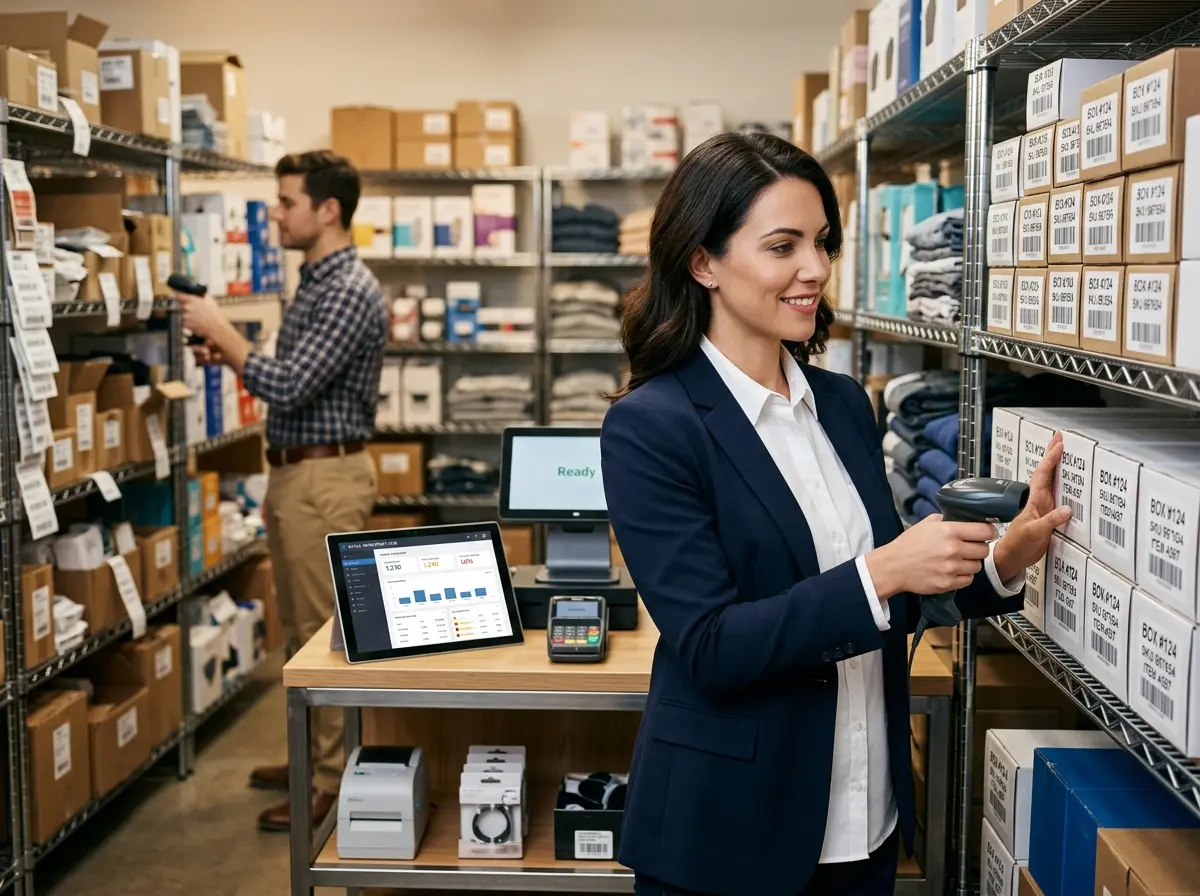
You'll need three things to get started: a barcode scanner, a label printer, and inventory/POS software that supports barcode functionality. Handheld USB or Bluetooth scanners range from $30 to $300 depending on durability and scan speed — for most small retailers, a mid-range wireless option works perfectly. Thermal label printers (like those from Zebra or Dymo) are the standard for producing clean, durable barcode labels without ink costs eating you alive.
On the software side, most modern POS platforms — including Square, Lightspeed, Shopify POS, and Clover — have barcode support built in. The key is choosing a system that integrates inventory tracking across both your physical store and any online channels you operate, so you're not managing two separate (and inevitably conflicting) stock counts.
Keeping Customers Happy While You Modernize the Back End
Don't Let System Upgrades Create a Service Gap
Here's something that doesn't get talked about enough: when you're deep in implementation mode — relabeling products, configuring software, training staff — customer experience can quietly take a hit. Your team is distracted, processes are in flux, and that customer standing at the counter with a question about your return policy? They might just get a shrug and a "let me find someone who knows."
This is where Stella, the AI robot employee and phone receptionist, becomes genuinely useful. While your staff is focused on getting your new barcode system up and running, Stella can hold down the front of house — greeting customers, answering questions about products, promotions, and store policies, and keeping the experience professional even during the messy middle of an operational overhaul. She's also available 24/7 to answer phone calls, so inquiries don't fall through the cracks just because your manager is elbow-deep in a relabeling project. Stella handles the customer-facing side of your business without needing a break, a briefing, or a pep talk.
Implementing Your Barcode System: A Step-by-Step Approach
Step 1 — Audit Your Inventory Before You Label Anything
Before you print a single barcode, do a full inventory audit. Yes, really. Implementing a barcode system on top of inaccurate inventory data is like repainting a car that has a cracked engine block — it'll look better, but the underlying problem is still there. Go through your stock, reconcile your counts, remove discontinued items, and make sure your product list in your software matches what's actually on your shelves. It's tedious. Do it anyway. Future you will be grateful.
Take this opportunity to also standardize your product naming conventions. Consistent, logical naming (Brand → Product Type → Variant → Size) will make your reports far more useful and your staff far less confused when looking up items.
Step 2 — Label Strategically and Train Your Team Properly
Start labeling from your highest-turnover products first so you see immediate operational benefits without waiting for a complete rollout. Apply labels in consistent locations on products — corner of the packaging, back of the tag, etc. — so scanning becomes second nature rather than a scavenger hunt for every transaction.
Training is non-negotiable. Even the best barcode system fails if your team doesn't use it correctly. Run a proper training session that covers scanning at checkout, receiving new shipments via scan, performing cycle counts, and handling damaged or unreadable barcodes. Create a simple one-page reference sheet they can keep at the register. The goal is to make the correct behavior the easy behavior.
Step 3 — Use Your Data or Don't Bother
This is where most small retailers leave significant money on the table. The whole point of a barcode system isn't just faster checkouts — it's the data. Once you're scanning everything, your POS or inventory software starts generating genuinely useful reports: top-selling products by category, slow-moving inventory that's eating your shelf space, reorder alerts before you hit zero, and shrinkage reports that reveal theft or receiving discrepancies.
Build a habit of reviewing your inventory reports weekly — at minimum. Look at what's moving, what's stalling, and what's costing you. Set automatic reorder points for your top sellers so you're never caught empty-handed. Use your sales velocity data to inform purchasing decisions rather than gut instinct. The system is only as smart as the business owner who actually reads what it's telling them.
Quick Reminder About Stella
Stella is an AI robot employee and phone receptionist designed for businesses just like yours. She stands inside your store engaging customers, answering their questions, and promoting your current deals — and she answers your phone calls 24/7 with the same business knowledge she uses in person. At just $99/month with no upfront hardware costs, she's one of the easiest wins available to retail store owners who want a more professional, consistent customer experience without adding headcount.
Conclusion: You've Got the Roadmap — Now Use It
Implementing a barcode system isn't glamorous work. There's no ribbon-cutting ceremony for relabeling your entire stockroom. But what's on the other side of that work — accurate inventory, faster checkouts, real data, less staff confusion, and a store that actually runs like a business — is absolutely worth it.
Here's your action plan to get started:
- Audit your current inventory and reconcile any discrepancies before touching a label printer.
- Choose your hardware and software — a mid-range scanner, a thermal label printer, and a POS system with solid barcode and inventory support.
- Start with your top sellers and roll out labeling systematically rather than trying to do everything at once.
- Train your team thoroughly and create reference materials that make correct scanning the path of least resistance.
- Commit to reviewing your data weekly and actually making decisions based on what your system tells you.
The retailers who thrive aren't necessarily the ones with the biggest budgets or the flashiest storefronts. They're the ones who run tight operations, know their numbers, and use every available tool to deliver a better experience. A barcode system is one of those tools. Go get it implemented — your future self (and your future inventory counts) will thank you.