Your Booking Confirmation Email Is Doing Absolutely Nothing — Let's Fix That
Be honest. Your booking confirmation email currently says something like: "You're booked! See you at 2pm Tuesday." Maybe there's an address. Maybe a phone number. And then... nothing. Just a polite digital handshake and a whole lot of missed opportunity.
Here's the thing — the moment a client books an appointment, they're in the highest possible state of commitment to your salon. They've already said yes. They've pulled out their phone, navigated your booking system, and carved time out of their calendar. That's not a small thing. And yet most salons treat the confirmation email like a formality rather than what it actually is: a prime piece of real estate for generating more revenue.
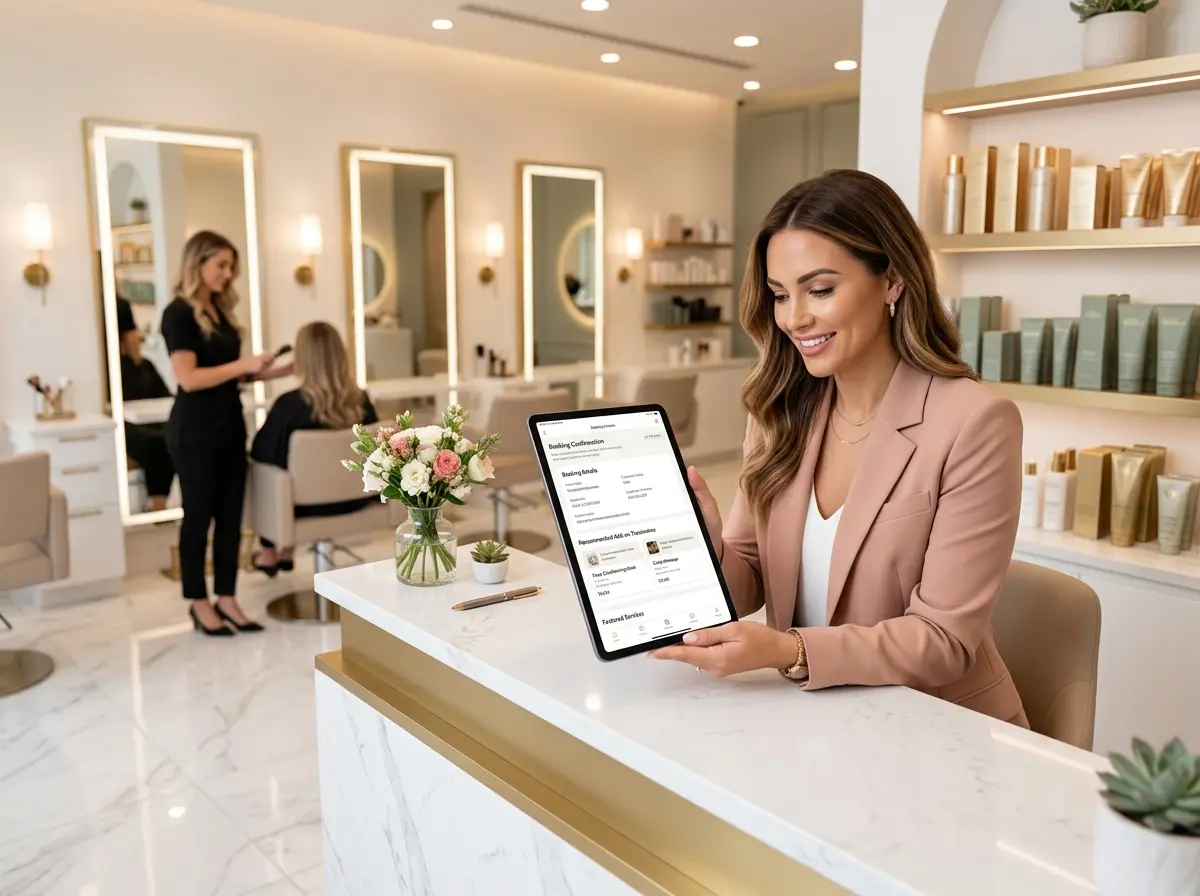
An upsell menu embedded in your booking confirmation isn't pushy. It isn't sleazy. It's genuinely helpful — because your client is already thinking about their visit and is perfectly positioned to consider adding something extra. A gloss treatment. A deep conditioning service. A brow shape. The math is simple: more relevant offers at the right moment equals more add-ons booked, more revenue per appointment, and happier clients who leave feeling like they got the full experience.
Let's talk about how to actually build this into your workflow — without it feeling like a used car lot.
What to Include in Your Upsell Menu (And How to Present It)
Choose Add-Ons That Make Sense for the Service Booked
The number one rule of a confirmation upsell menu is relevance. Nobody who just booked a blowout wants to be offered a men's beard trim. Generic upsells feel tone-deaf and get ignored. Smart, service-specific upsells feel like personalized recommendations — and those convert.
Think about your service menu and map out natural pairings. A client booking a color appointment is a great candidate for a toning gloss, a scalp treatment, or a bond-repair add-on like Olaplex. Someone booking a haircut might appreciate a deep conditioning treatment or a blowout upgrade. A client scheduling a keratin treatment could benefit from a take-home aftercare kit. When the upsell feels like a logical extension of what they've already chosen, the mental barrier to saying yes drops significantly.
Most booking platforms allow you to configure which add-ons appear based on the primary service selected. If yours does, use that feature. If it doesn't, even a well-categorized static menu grouped by service type is far better than nothing.
Write Upsell Copy That Sells Without Feeling Salesy
The way you present your add-ons matters enormously. There's a big difference between "Purchase an add-on" and "Want to take your color home looking salon-fresh? Add a gloss treatment for $35." One sounds like a checkout page. The other sounds like advice from a stylist who actually knows what they're doing.
Keep your upsell descriptions short, benefit-forward, and conversational. Lead with the outcome the client gets, not just the name of the service. Include the price — transparency builds trust, and hiding it only creates friction later. If you have a time estimate, add it. Clients worry about running over, so "only adds 20 minutes" is genuinely reassuring copy that removes a common objection before it's even raised.
A few words of caution: don't list every single service you offer. Pick your top three to five highest-margin or most popular add-ons. Choice overload is real, and a client staring at fifteen options is a client who picks none of them.
Use Urgency and Timing to Your Advantage
The confirmation email lands right after booking — which is ideal — but don't stop there. A follow-up reminder email sent 24 to 48 hours before the appointment is another natural opportunity to resurface your upsell menu. At that point, your client is mentally gearing up for their visit, and a well-timed "Don't forget, you can still add a treatment to your appointment" message can capture clients who skimmed past it the first time.
If your booking system supports it, consider adding a deadline: "Add-ons must be booked at least 24 hours in advance so we can prep for your visit." This is both practical and creates a gentle sense of urgency without being manipulative. It also manages your team's time and inventory, which is a bonus you get for free.
How the Right Tools (and the Right Team) Support Your Upsell Strategy
Automation Does the Heavy Lifting — If You Set It Up Right
The beauty of a confirmation email upsell menu is that once it's built, it works around the clock without any effort from you or your staff. Your booking platform should be doing the heavy lifting here. Most modern platforms — Vagaro, GlossGenius, Boulevard, Fresha, and others — allow you to customize your confirmation and reminder emails with links, images, service descriptions, and add-on prompts.
Invest a couple of hours setting this up properly, and that investment pays dividends on every single booking that comes through afterward. If your current platform doesn't support custom confirmation content, that's worth factoring into your next platform evaluation. Your booking software should be a revenue tool, not just a calendar.
Let Stella Handle the Conversations Your Emails Can't
Email automation is powerful, but it has one obvious limitation: it's one-directional. A client who has a question about an add-on — "What exactly is a bond repair treatment? Is it worth it for my hair type?" — can't get an answer from a confirmation email. They either call your front desk, send a message you won't see until tomorrow, or just don't book the add-on at all.
That's where Stella comes in. Stella is an AI robot employee who answers your salon's phone calls 24/7 — and she knows your services, your add-ons, your pricing, and your promotions. When a client calls after hours wondering whether they should add a gloss to their color appointment, Stella can have that conversation naturally and confidently, the same way a knowledgeable receptionist would. For salons with a physical location, she's also present in-store as a friendly kiosk, greeting walk-ins and proactively promoting your current offerings. Together, your automated emails and Stella's live conversational support create a complete upsell ecosystem that doesn't depend on any single staff member being available.
Measuring What Works and Improving Over Time
Track Your Add-On Attachment Rate
If you're not measuring it, you can't improve it. The key metric to watch is your add-on attachment rate — the percentage of bookings that include at least one add-on service. This number tells you whether your upsell menu is working, which services are resonating, and where there might be gaps in your offer or your messaging.
Most salon booking platforms have some level of reporting built in. Pull a weekly or monthly report on add-on bookings and compare them to total appointments. Even a modest attachment rate of 15 to 20 percent on high-margin services can have a meaningful impact on your monthly revenue. If you're currently sitting at zero because you don't have a upsell menu yet — well, that's exactly why you're reading this.
Test, Iterate, and Don't Be Afraid to Change Things Up
Your first version of an upsell menu doesn't have to be perfect. In fact, it won't be — and that's completely fine. The important thing is to launch something and then pay attention to what happens. Are certain add-ons getting booked consistently while others sit ignored? That's data. Are clients adding treatments for cuts but not for color? That tells you something about how you're positioning your color add-ons.
Try A/B testing your email copy if your platform supports it. Swap out descriptions, adjust pricing presentation, reorder your add-ons, or change the subject line of your reminder email. Small tweaks can have a surprisingly large impact on conversion rates. Treat your confirmation email like a landing page — because that's exactly what it is.
Ask Your Stylists for Input
Your front-line team has something your analytics don't: actual conversations with clients. Ask your stylists which add-ons they find easiest to recommend in person, what questions clients most commonly ask, and which treatments tend to produce the most visible results. That information is gold for writing your email copy and deciding which services to feature in your upsell menu. The services your team loves recommending are usually the ones clients are happiest they said yes to — and that makes for a much easier sell.
Quick Reminder About Stella
Stella is an AI robot employee and phone receptionist built for businesses exactly like yours — answering calls around the clock, promoting your services and specials, and engaging clients in natural conversation whether they're calling in or walking through your door. She runs on a simple $99/month subscription with no upfront hardware costs, and she's ready to work from day one. If your front desk is a bottleneck or your after-hours calls are going to voicemail, Stella is worth a serious look.
Start Small, Start Now, and Watch Your Per-Visit Revenue Grow
Building an upsell menu into your booking confirmation doesn't require a major overhaul of your business. It requires maybe an afternoon of setup, a bit of thoughtful copywriting, and a commitment to measuring what happens afterward. The payoff — higher revenue per appointment, better client experiences, and a front desk that isn't fielding the same questions on repeat — is well worth the effort.
Here's a simple action plan to get started this week:
- Audit your current confirmation email. What does it say right now? What's missing?
- Identify your top three to five add-ons by margin and popularity, mapped to your most common services.
- Write benefit-forward descriptions for each, including price and time added.
- Update your confirmation and reminder email templates in your booking platform.
- Set a 30-day checkpoint to review your add-on attachment rate and adjust accordingly.
Your booking confirmation is already in your client's inbox. The only question is whether it's working for you or just taking up space. Make it work.