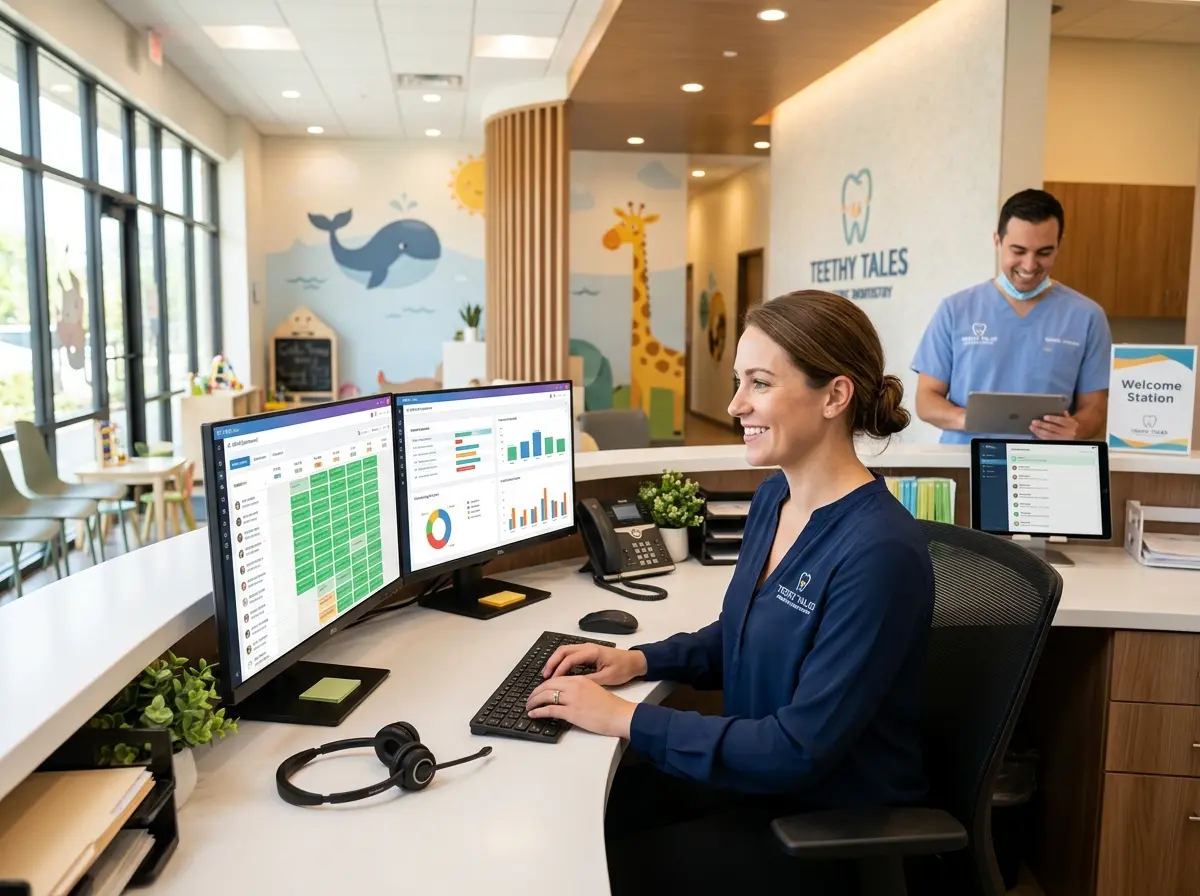
When Empty Appointment Slots Are the Real Cavity
Running a pediatric dental practice is no small feat. You're managing anxious kids, even more anxious parents, a full clinical team, and somehow also trying to keep your appointment calendar from looking like Swiss cheese. Cancellations pile up, no-shows happen without warning, and before you know it, your hygienists are standing around reorganizing the toy chest while revenue walks out the door.
Here's the uncomfortable truth: most dental practices hemorrhage thousands of dollars every month not because of bad dentistry, but because of bad patient management. The good news? A well-implemented CRM system can change all of that — and a growing number of pediatric dental offices are quietly using it to fill their schedules, reduce cancellations, and actually get ahead of the chaos instead of just reacting to it.
This post is for the pediatric dentist who's tired of the front desk firefighting. Let's talk about how to use CRM strategically — and yes, we'll keep it practical enough that you might actually do something about it before your next no-show rolls in.
Understanding the Real Problem: It's Not the Patients, It's the Process
Why Pediatric Practices Struggle More Than Most
Pediatric dental offices face a uniquely tricky scheduling challenge. Your patients are minors, which means every communication, reminder, and rebooking has to go through a parent or guardian — people who are already juggling school schedules, soccer practice, work meetings, and approximately 47 other things. When a reminder slips through the cracks or a follow-up call never happens, that appointment simply vanishes.
On top of that, pediatric practices often serve large families, meaning one household might have three or four active patients. Without a proper system to track those relationships, patient histories, and communication preferences, you're essentially playing contact management with sticky notes and good intentions. That's not a strategy — that's hope.
The Hidden Cost of Cancellations and No-Shows
According to industry data, the average dental practice loses between $50,000 and $100,000 per year to unfilled appointment slots. For pediatric practices with high patient volume and shorter appointment windows, those gaps add up faster than you might expect. A single no-show in a packed afternoon can throw off your entire schedule, stress your team, and leave a patient overdue for a cleaning they genuinely need.
The traditional response is to call patients manually to confirm, fill gaps, and chase cancellations. That works — until it doesn't. Staff get busy, calls go unmade, and the cycle continues. A CRM doesn't eliminate human error; it simply removes the reliance on human memory to catch every single task.
What a CRM Actually Does (Beyond Storing Names and Phone Numbers)
A CRM — Customer Relationship Management system — is essentially your practice's long-term memory. It tracks every patient interaction, stores communication history, flags upcoming appointments, and helps you segment your patient base so you can communicate with the right people at the right time. In a pediatric dental context, that means knowing which families haven't booked a six-month follow-up, which kids are due for sealants, and which parents prefer a text reminder over a phone call. When that information is centralized and actionable, your front desk stops guessing and starts executing.
How Stella Can Support Your Front Desk Before Patients Even Walk In
Intake, Reminders, and First Impressions — Handled Automatically
One of the less glamorous parts of running a pediatric dental practice is the sheer volume of incoming calls — appointment inquiries, insurance questions, panicked parents asking if a wiggly tooth is an emergency (spoiler: usually not). Stella, the AI robot employee and phone receptionist, handles all of that without your front desk staff having to drop what they're doing every three minutes.
For pediatric dental offices with a physical location, Stella greets families as they arrive, answers common questions, and creates a welcoming, professional first impression — all before a human staff member needs to get involved. On the phone side, she answers calls 24/7, collects new patient information through conversational intake forms, and logs everything directly into her built-in CRM. That means new patient data is captured accurately, automatically, and without your receptionist having to type anything in after a long afternoon of back-to-back appointments. Her CRM supports custom fields, tags, notes, and AI-generated patient profiles — exactly the kind of structured data that makes follow-up and re-engagement campaigns actually work.
Building a CRM Strategy That Actually Fills the Schedule
Segment Your Patient List and Stop Treating Everyone the Same
Not every patient on your list needs the same message. A family that hasn't been in for 18 months needs a very different outreach than a patient who's due for a routine cleaning next week. A good CRM lets you segment your contacts using tags, custom fields, and behavioral data — so you can send targeted reactivation campaigns to lapsed patients, appointment reminders to upcoming ones, and seasonal promotions (back-to-school checkups, anyone?) to your entire active base.
Start simple: create segments for active patients, overdue patients (6+ months since last visit), and lapsed patients (12+ months). Build a basic outreach sequence for each group. Even a generic reactivation email to your lapsed list will generate bookings — because most of those patients didn't leave on purpose. Life just got in the way, and nobody followed up.
Automate Appointment Reminders — But Make Them Personal
Here's where most practices leave money on the table: they either don't send reminders at all, or they send a single generic message the day before and call it a day. Research consistently shows that multi-touch reminder sequences — a combination of reminders sent 1 week, 3 days, and 1 day before an appointment — significantly reduce no-show rates. Some studies put the reduction at 30% or more for practices that implement structured reminder workflows.
Your CRM should be triggering these automatically based on appointment data. Personalize where you can — use the patient's (child's) first name, reference the type of appointment, and include a clear, easy way to confirm or reschedule. The easier you make it for a busy parent to respond, the more likely they will. Friction is the enemy of compliance.
Create a Cancellation Recovery Workflow
When a cancellation does happen — and it will — your CRM should immediately flag that slot and trigger a workflow to fill it. This might look like an automated text to your short-notice list (patients who've indicated they're flexible), a call from your front desk to the next patient on a waitlist, or a quick outreach to overdue patients who've been waiting for an opening. The key is that this process starts automatically, not whenever someone remembers to check the calendar.
Build a dedicated "cancellation recovery" tag or list in your CRM. Any patient who cancels without rescheduling gets added to that segment and enters a gentle re-engagement sequence. Most cancellations aren't rejections — they're just life. A well-timed follow-up a few days later will convert a surprising number of them back into booked appointments.
Quick Reminder About Stella
Stella is an AI robot employee and phone receptionist designed for businesses of all kinds — including pediatric dental practices that want a professional, always-available presence without the overhead. She greets patients at the kiosk, answers calls around the clock, collects intake information, and manages contacts through a built-in CRM — all for just $99/month with no upfront hardware costs. If your front desk could use some reliable backup, she's worth a serious look.
What to Do This Week
You don't need to overhaul your entire practice overnight. CRM success — like good dental hygiene — comes from consistent habits applied over time. Here's a simple place to start:
- Audit your current cancellation rate. If you don't know the number, you can't improve it. Pull the data from the last 90 days and set a baseline.
- Segment your patient list into active, overdue, and lapsed groups. Even a rough segmentation beats treating everyone the same.
- Set up a three-touch reminder sequence for upcoming appointments — 7 days, 3 days, and 1 day out. Automate it if your system allows.
- Build a cancellation recovery workflow so that every cancellation triggers an action rather than just a gap in the calendar.
- Explore tools that integrate intake with CRM, so new patient data flows in cleanly from day one without manual entry slowing you down.
Your schedule doesn't have to feel like a game of Tetris where half the pieces are missing. With the right CRM strategy — and the right tools supporting your front desk — you can build a practice that runs predictably, retains patients consistently, and doesn't depend entirely on your team's ability to remember everything. Because they're great. But they're human. And humans forget things.
Your appointment calendar shouldn't have to rely on that.