The Checkout Line: Retail's Most Reliable Mood Killer
Picture this: a customer has spent twenty minutes browsing your store, found exactly what they were looking for, and is genuinely excited to buy it. Then they see the checkout line. Their enthusiasm evaporates. They check their watch. They abandon their cart and walk out — not because they didn't want your product, but because waiting in line in the year 2024 feels like a personal affront.
Sound familiar? You're not imagining it. According to research from Waitwhile, 75% of customers say they've left a store without purchasing due to long lines, and the average American spends roughly 37 billion hours per year waiting in queues. That's not just lost productivity — that's lost revenue walking out your front door.
The good news is that mobile checkout technology has matured significantly, and equipping your staff with mobile point-of-sale (mPOS) devices is no longer a luxury reserved for Apple Store-level budgets. Whether you run a boutique, a gym, a salon, or a specialty shop, untethering your staff from the traditional checkout counter is one of the smartest operational moves you can make. Let's talk about how to do it right.
Understanding Mobile Checkout and Why It Works
What Mobile Checkout Actually Means
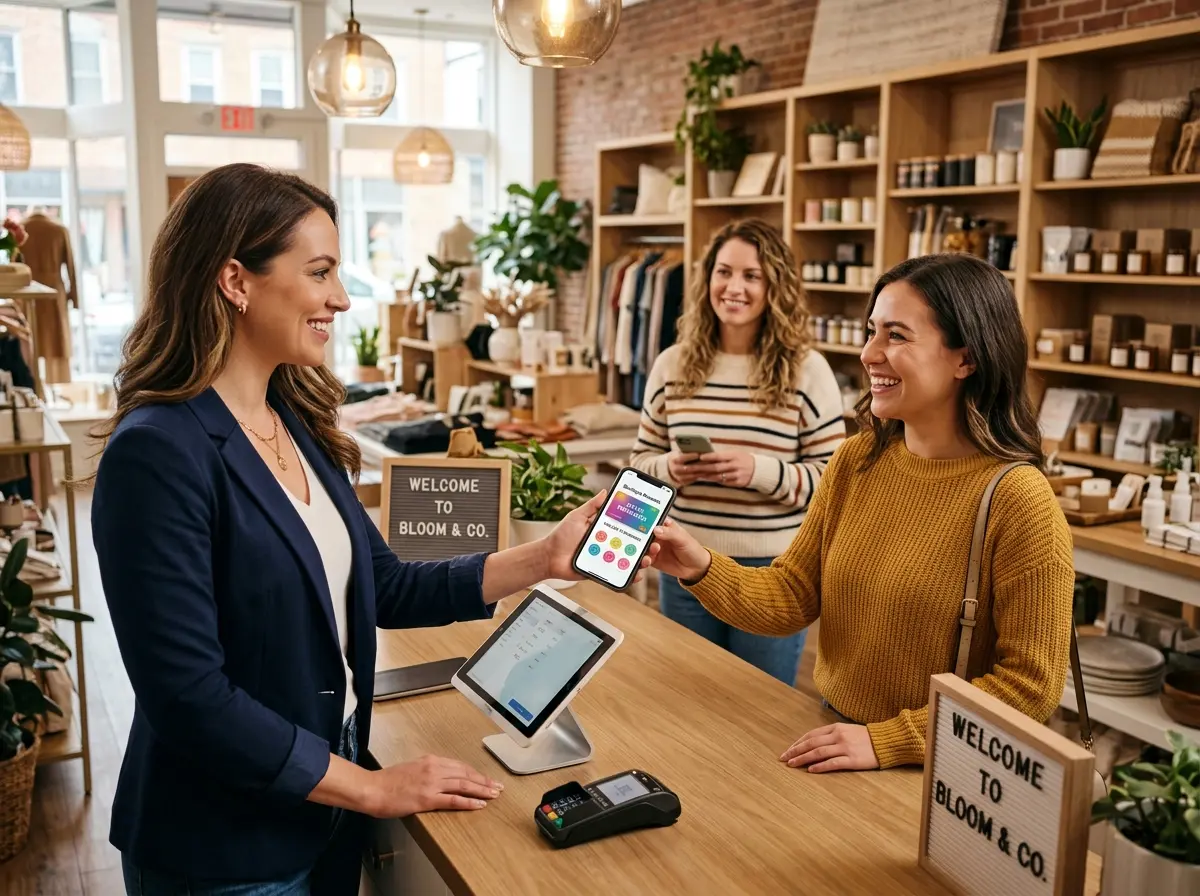
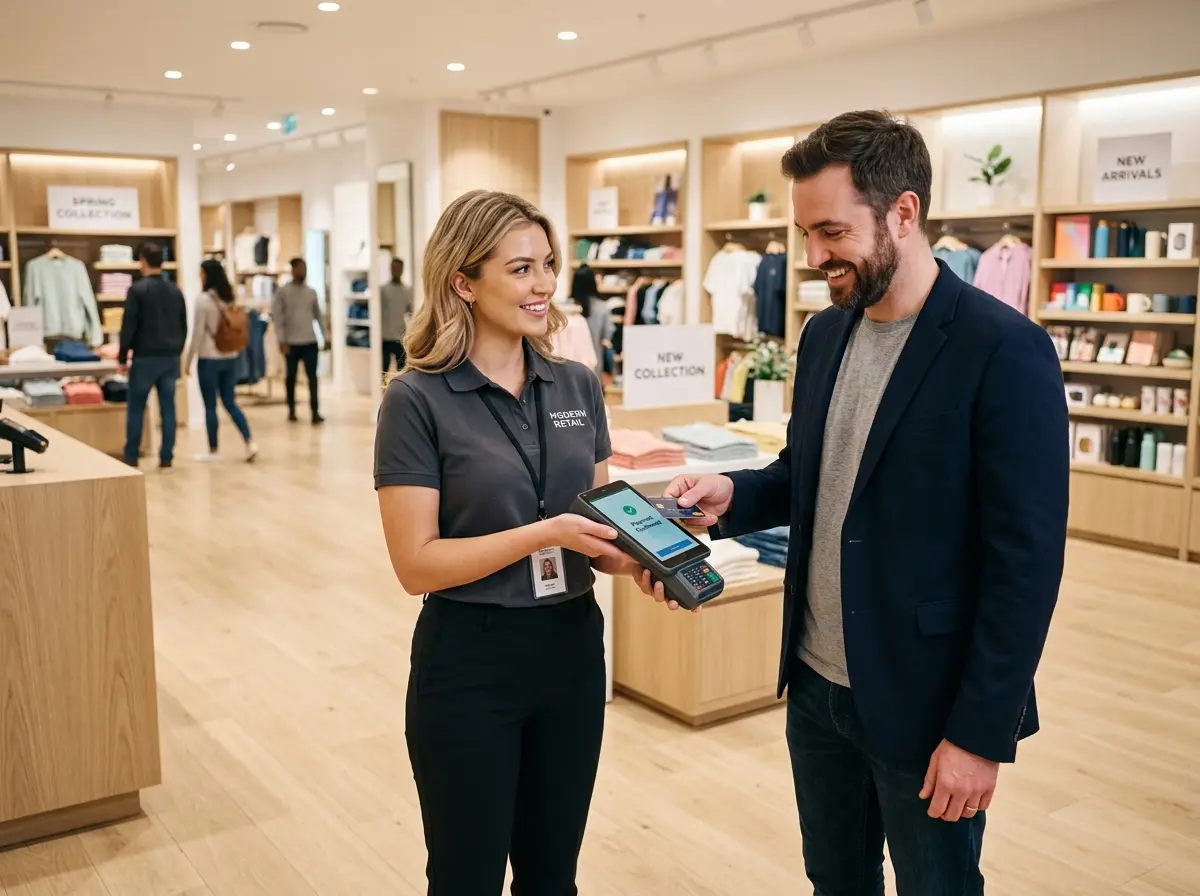
Mobile checkout — sometimes called mobile POS or mPOS — refers to any system that allows your staff to process transactions anywhere on the floor rather than at a fixed register. This typically involves a tablet or smartphone paired with a card reader, connected to your inventory and payment processing systems. Staff members become fully functional checkout stations in their own right, capable of completing sales, processing returns, and pulling up customer information from anywhere in your store.
The technology itself has been around for over a decade (again, see: Apple Stores), but the cost and complexity have dropped dramatically. Solutions like Square, Shopify POS, Lightspeed, and Clover offer affordable hardware and intuitive software that most staff can learn in a single shift. The barrier to entry is genuinely low.
The Psychology Behind Line Abandonment
Here's something interesting: customers don't just hate waiting — they hate uncertain waiting. Research from Harvard Business School suggests that perceived wait time is often worse than actual wait time, and that unoccupied time feels longer than occupied time. When a customer is standing in a stationary line staring at the back of someone's head, every second stretches.
Mobile checkout attacks this problem from two angles. First, it physically reduces wait times by distributing the checkout load across multiple staff members. Second, it changes the experience of checkout entirely — a staff member walking up to assist you feels like service, not queuing. The transaction becomes a conversation rather than a transaction. That psychological shift is worth more than any loyalty points program.
Where Mobile Checkout Makes the Biggest Impact
Not every business benefits equally, and it's worth being honest about that. Mobile checkout tends to deliver the most dramatic results in environments where:
- Traffic is seasonal or bursty — holiday retail, weekend rushes, post-class gym sales, or post-appointment salon retail all benefit enormously from flex capacity.
- Floor staff already engage customers — if your team is already walking the floor and answering questions, closing the sale right there is a natural extension of what they're already doing.
- Average transaction value is high enough to justify staff time — boutiques, electronics shops, fitness equipment retailers, and medical spas are prime candidates.
- Physical space makes a fixed register awkward — pop-up shops, outdoor markets, or multi-room service environments often have no good place for a traditional counter anyway.
Keeping the Rest of Your Customer Experience Sharp
Don't Let the Front Door (or Phone) Become Your New Bottleneck
Here's the quiet irony of optimizing checkout: you solve one bottleneck and suddenly become aware of others. When customers aren't waiting at the register, you may notice that the front door greeting has gotten inconsistent, or that the phone is ringing while your staff is busy completing floor transactions. Mobile checkout frees your team up beautifully — but it also asks more of them, which means other touchpoints can slip.
This is exactly where Stella earns her keep. Stella is a human-sized AI robot kiosk that stands in your store, greets customers as they walk in, answers their questions about products, services, and promotions, and handles the kind of routine inquiries that typically pull staff away from sales conversations. While your team is on the floor closing transactions with mobile checkout, Stella is handling the "what are your hours," "do you carry this in blue," and "tell me about your membership options" questions that would otherwise interrupt the flow. She also answers your phones 24/7, so no call goes to voicemail just because your team is mid-transaction. It's a surprisingly effective combination.
Implementing Mobile Checkout Without Creating New Chaos
Choose the Right Hardware and Software Stack
Before you hand everyone an iPad and call it a day, spend time evaluating your actual needs. The right mPOS setup depends on your existing systems. If you're already on Shopify for e-commerce, Shopify POS is the obvious choice for inventory sync. If you're running a restaurant or café, Toast or Square for Restaurants offer purpose-built features. For service businesses like spas or gyms, look at whether your booking software (Mindbody, Vagaro, etc.) has integrated payment capabilities that can go mobile.
Hardware considerations matter too. Bluetooth card readers are convenient but can have connectivity hiccups in busy environments. Evaluate whether your staff needs receipt printers, barcode scanners, or customer-facing displays, and make sure your chosen solution supports them. A pilot with one or two devices before rolling out store-wide will save you significant headaches.
Training Staff to Sell, Not Just Swipe
This is where most implementations either soar or stumble. Mobile checkout is not just a logistics tool — it's a sales tool. When a staff member can complete a transaction anywhere on the floor, they're in a position to do something a fixed register never could: close the sale at the moment of peak enthusiasm, recommend complementary products while the customer is still engaged, and create a personalized, consultative experience that drives both conversion and average order value.
Train your team to see the mobile device as the last step in a service conversation, not as a replacement for the register. Role-play scenarios where they guide a customer from question to recommendation to checkout seamlessly. A well-trained floor associate with a mobile POS can meaningfully outperform a traditional cashier in both customer satisfaction and upsell rate. Some retailers have reported increases in average transaction value of 10–20% after implementing mobile checkout alongside structured floor sales training.
Managing Shrinkage and Security Concerns
Any time you loosen the structure around transactions, security conversations follow — and they should. Mobile checkout does introduce some new considerations: devices need to be accounted for at the start and end of each shift, staff need clear guidelines on handling cash (if applicable), and your payment processor must be PCI-compliant on mobile just as it is at the register.
The practical answers here are straightforward. Use device management software (MDM) to lock tablets to your POS app and prevent unauthorized use. Require end-of-day device check-ins. Keep receipts digital by default to reduce paper management. And review your transaction logs regularly — most modern mPOS systems offer robust reporting that actually gives you more visibility into individual transactions than a traditional register, not less. Security concerns are real but manageable, and they shouldn't be the reason you avoid a technology that meaningfully improves your customer experience.
Quick Reminder About Stella
Stella is an AI robot employee and phone receptionist built for businesses like yours — she greets customers in-store, promotes your specials, answers questions, and handles phone calls around the clock, all for $99/month with no upfront hardware costs. While your team is focused on delivering great service on the floor, Stella holds down the front door and the phone line without complaint, breaks, or turnover. If you haven't looked into what she can do for your operation, it's worth a few minutes of your time.
Time to Cut the Cord on Your Checkout Counter
The traditional fixed checkout register had a good run. It really did. But as customer expectations evolve and competition for foot traffic intensifies, the businesses that win are the ones that make buying feel effortless — and nothing says "effortless" like a staff member walking up to you on the floor, answering your last question, and completing your purchase right there without asking you to migrate to a different part of the store.
Here's what your action plan looks like:
- Audit your current checkout experience. Time your average wait during peak hours. Talk to staff about where friction points occur. Get honest about what's actually happening, not what you assume is happening.
- Evaluate mPOS options that integrate with your existing systems. Don't add complexity — look for solutions that replace, not layer on top of, your current setup.
- Start with a pilot. Equip two or three staff members during your busiest shift for two weeks. Measure transaction volume, average order value, and gather customer feedback.
- Train for the full conversation, not just the swipe. Invest in floor sales training alongside the technology. The hardware is the easy part.
- Shore up the touchpoints your mobile team can't cover simultaneously — greeting, phone answering, and routine Q&A — so the overall experience tightens rather than just shifting the bottleneck.
Your customers came to your store because they wanted something you offer. Don't let the last thirty seconds of that experience be the thing they remember most. Mobile checkout, implemented thoughtfully, turns a potential frustration into a genuine competitive advantage — and in retail, those are worth holding onto.