You Can't Save Members You Don't Know Are Leaving
Here's a fun little scenario: A member named Dave has been coming to your gym since January — motivated, optimistic, full of New Year's energy. By March, Dave's visits have dropped from five times a week to once. By April, he ghosts you entirely. And then one Tuesday morning, you wake up to a cancellation email from Dave, and you think, "Huh. Didn't see that coming."
But here's the thing — you should have. All the signs were there. You just didn't have a system in place to read them.
Member retention is the single most important metric in the gym business, and yet most gym owners are still operating on vibes and gut feelings when it comes to predicting who's about to walk out the door. The average gym loses between 30% and 50% of its members every year. That's not a rounding error — that's a crisis. And the worst part? A significant chunk of those cancellations are preventable if you catch the warning signs early enough to actually do something about them.
This is exactly what a well-configured CRM dashboard is built to solve. Let's talk about how to set one up so that "Didn't see that coming" becomes a phrase you never have to say again.
The Warning Signs That Are Already In Your Data
Before you can build a dashboard that tells you who's at risk, you need to understand what "at risk" actually looks like in practice. Spoiler: it almost never looks like a member walking up to the front desk and announcing their imminent departure. People don't do that. They just quietly stop showing up.
Visit Frequency: The Most Obvious Metric You Might Be Ignoring
Visit frequency is the single most reliable predictor of cancellation risk. Members who visit consistently — even just two or three times a week — cancel at dramatically lower rates than those who visit sporadically. Research from the fitness industry consistently shows that members who visit fewer than twice a month are five times more likely to cancel within the next 90 days.
Your CRM dashboard should be tracking this automatically, and it should be flagging any member whose visit frequency drops by 40% or more over a rolling 30-day window. Not manually. Automatically. If you're still pulling spreadsheets to figure this out, that time cost alone should convince you to upgrade your system.
Engagement Drop-Offs Beyond the Door
Physical visits aren't the only signal. Are members opening your emails? Booking classes? Using the app? Logging into the member portal? Each of these touchpoints creates a data trail, and a sudden drop across multiple channels is a much stronger signal than a dip in one. Think of it like a health checkup — one bad reading might be noise, but three bad readings in a row is your CRM telling you to make a phone call.
Tag these members in your CRM immediately. Create a segment called something like "Disengaging — Needs Outreach" and make sure someone on your team is responsible for actually reaching out to everyone in that bucket before the month ends.
Billing Friction and Failed Payments
A failed payment is not just an accounting problem — it's often the first domino. Members who experience a failed payment and aren't quickly re-engaged have a much higher probability of using that interruption as an excuse to cancel altogether. Your dashboard should surface every failed or declined transaction in real time, not buried in a billing report you check once a month. Pair that alert with an immediate, personalized outreach protocol and you'll recover a meaningful percentage of members who would otherwise slip away.
How Stella Can Help You Stay Ahead of Churn
Stella, the AI robot employee and phone receptionist, brings a practical layer of support to your retention efforts that most gyms aren't taking advantage of. When members call in — to ask about their account, change their schedule, or (ominously) ask about your cancellation policy — Stella handles those calls professionally, around the clock, and logs every interaction. That data feeds directly into her built-in CRM, where you can tag contacts, add notes, and build member profiles that give your team real context before any outreach call.
Her intake forms are particularly useful for new member onboarding — capturing goals, preferences, and contact details conversationally so that your team starts every relationship with a complete picture. And for members who visit in person, Stella's kiosk presence means every front-desk interaction gets logged, not forgotten. It's the kind of quiet, consistent data collection that makes your CRM dashboard actually worth looking at.
Building the Dashboard: What to Actually Display
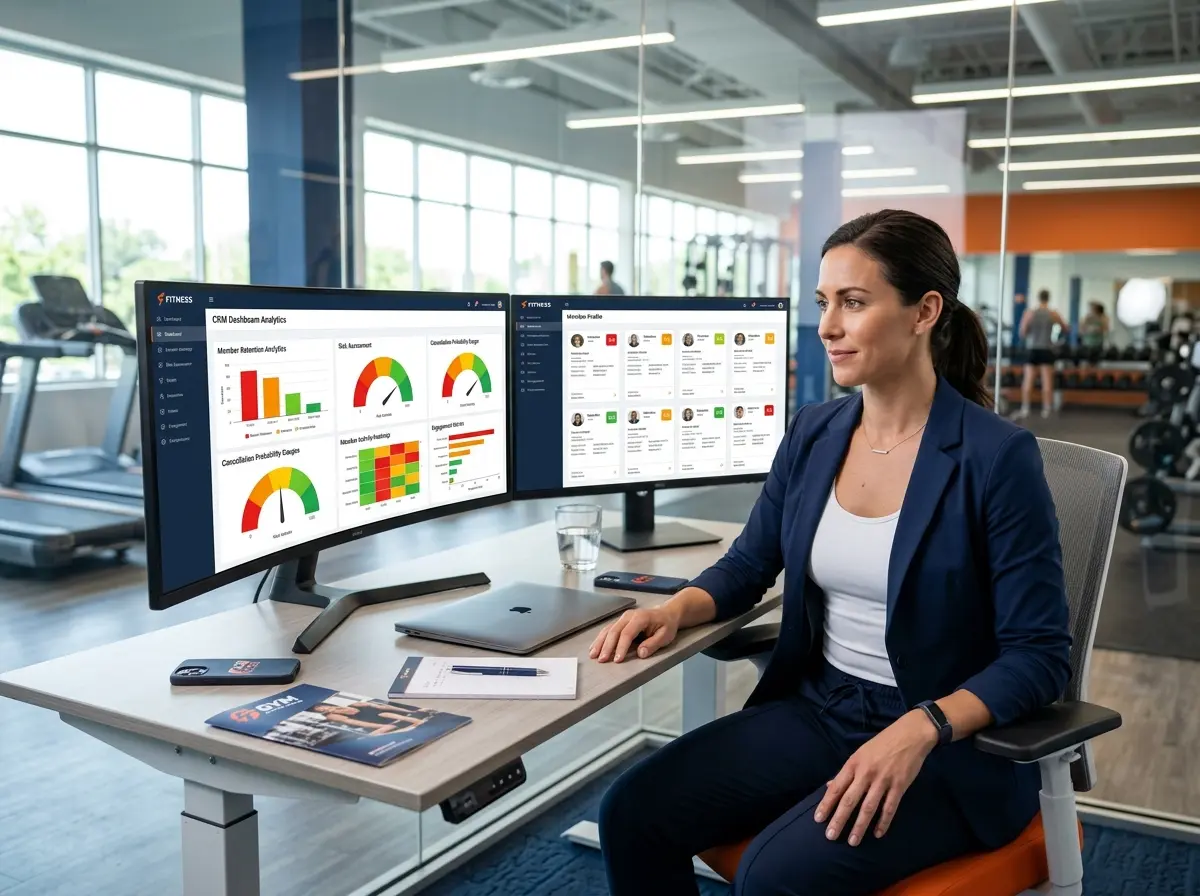
Knowing what data matters is one thing. Building a dashboard that makes it actionable is another. A CRM dashboard for churn prediction shouldn't look like a stock trading terminal — it should be clean, prioritized, and designed to answer one question: Who do I need to call today?
The Risk Score: Turning Data Into a Single Number
The most effective CRM setups for gym owners use a composite risk score that weighs multiple factors and outputs a simple rating — something like Low, Medium, High, or Critical. You don't need a PhD in data science to build this. You need your CRM to combine visit frequency, engagement data, billing history, and membership tenure into a weighted formula that surfaces the people who need attention most.
For example, a member who's been with you for three months (still in the high-churn window), missed the last two weeks, has a failed payment on record, and hasn't opened your last four emails? That's a Critical. A member who skipped last week but has been a loyal customer for two years and opened your email yesterday? Probably just on vacation. The risk score helps your team prioritize without having to manually review every single account.
The "Save List": Your Monthly Action Report
Every month — ideally in the first week — your dashboard should automatically generate what we'll call a Save List: every member currently sitting at Medium risk or above, sorted by risk level, with their contact information and a summary of why they were flagged. This isn't a report you file away. This is a work order. Someone on your team should be personally responsible for reaching out to every person on that list before the month ends.
Personalization matters here more than people realize. A templated "We miss you!" email is better than nothing, but a text message or phone call that references their specific history — "Hey Sarah, noticed you haven't made it in for your Tuesday yoga class lately — everything okay?" — converts at a significantly higher rate. People cancel memberships. They don't cancel relationships.
Tracking Retention Interventions Over Time
Your CRM dashboard should also show you what's working. Log every retention outreach attempt, note the outcome, and track whether flagged members return within 30 days. Over time, you'll develop a clear picture of which intervention types — phone calls vs. emails vs. in-person conversations — produce the best save rates for your specific member base. That data is worth real money. It lets you stop guessing and start running a retention machine that gets smarter every month.
Quick Reminder About Stella
Stella is an AI robot employee and phone receptionist built for businesses like yours. She greets members at your front desk, answers calls 24/7, collects intake information, and keeps your CRM populated with real, usable data — all for $99/month with no upfront hardware costs. Whether you're running a single-location gym or managing a growing fitness brand, she's the kind of front-desk presence that doesn't call in sick or forget to log a conversation.
Stop Losing Members You Could Have Kept
The gym business is not a revolving door — or at least, it doesn't have to be. Most cancellations don't come out of nowhere. They come from members who quietly disengaged while your team was busy running classes, fixing equipment, and handling the hundred other things that demand attention every day. A properly configured CRM dashboard doesn't replace that human attention — it focuses it where it matters most, before it's too late.
Here's what to do this week: Audit your current CRM setup and ask whether it can automatically flag at-risk members based on visit frequency and billing status. If the answer is no, or if your answer is "we don't really use a CRM," that's your starting point. From there, build or adopt a risk scoring framework, assign ownership of the monthly Save List to a specific team member, and start tracking what your retention interventions actually produce.
Dave didn't have to cancel. And the next Dave on your membership roster doesn't either — as long as you see it coming.