Introduction: The Scheduling Circus Has Got to Stop
Picture this: It's Friday afternoon, your dinner rush starts in three hours, and you just found out that two of your servers called in sick, your shift manager can't reach the on-call staff because nobody's answering texts, and somewhere in a group chat that has 47 unread messages, someone may or may not have agreed to cover the 6 PM slot. May or may not. Meanwhile, your kitchen is prepped, your reservations are filling up, and you're standing there refreshing your phone like it owes you money.
If this sounds painfully familiar, you're not alone. Scheduling chaos is one of the most universal — and most preventable — headaches in the restaurant industry. The good news is that the solution isn't hiring a full-time scheduling coordinator or developing psychic abilities. It's simpler than that: a dedicated staff communication app built specifically to handle the beautiful disaster that is restaurant scheduling.
In this post, we'll walk through why the old ways of managing schedules are quietly destroying your team's morale (and your own sanity), what to look for in a staff communication app, and how to actually implement one without your team staging a mutiny. Let's get into it.
Why Restaurant Scheduling Is Uniquely Chaotic
The Part-Time, Multi-Availability Problem
Restaurants are not like most workplaces. Your staff roster is likely a beautiful mosaic of college students, second-jobbers, parents with school pickup constraints, and that one person who is somehow always "available" until they suddenly aren't. Managing availability across a team where nearly everyone has different hours, different constraints, and different definitions of "I can probably make it" is a logistical challenge that would humble even the most organized person on Earth.
When you're juggling all of this in a spreadsheet — or worse, a paper schedule pinned to the back office wall — things fall through the cracks. Somebody doesn't see the update. Somebody else thought their shift was at 5, not 4. And now you're short-staffed during your busiest hour and fielding passive-aggressive Yelp reviews about slow service.
The Group Chat Trap
At some point, well-meaning managers decided that group texts or WhatsApp chats would solve the communication problem. And for about two weeks, it probably worked great. Then the chat grew. Side conversations started. Someone posted a meme. Shift swap requests got buried under 200 messages about literally everything else, and now nobody actually reads the chat anymore — they just scroll to the bottom, send a thumbs up, and hope for the best.
Group chats are fantastic for casual communication. They are not a scheduling system. Using one as your primary staffing tool is the operational equivalent of using a butter knife as a screwdriver — it kind of works until it really doesn't.
Last-Minute Callouts and the Domino Effect
A 2019 survey by the National Restaurant Association found that employee turnover and staffing shortages are consistently among the top operational challenges for restaurant operators. Callouts are inevitable in this industry — people get sick, emergencies happen, life occurs. The question isn't whether they'll happen; it's how quickly and cleanly you can respond when they do.
Without a proper communication system, a single callout can trigger a full domino effect: the manager scrambles to text people individually, half don't respond, one says yes but then changes their mind, and by the time a replacement is confirmed, the shift has already started short. A staff communication app with built-in shift coverage requests, push notifications, and availability filters can compress that entire chaotic process into minutes rather than hours.
What a Good Staff Communication App Actually Does for You
Centralized Scheduling with Real-Time Updates
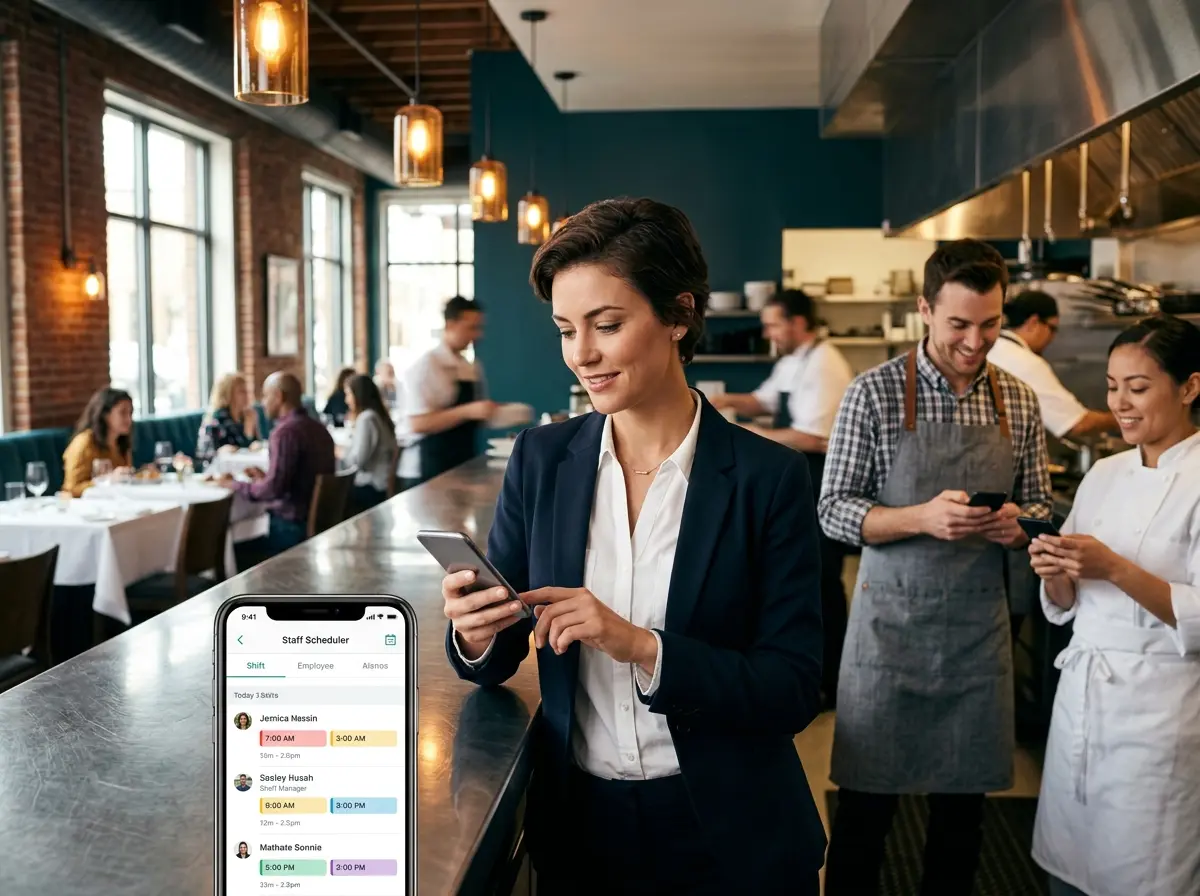
The core function of any solid staff communication app is a single, centralized schedule that everyone can see in real time. When you make a change, everyone sees it instantly — no more "I didn't know the schedule changed" excuses, no more printing new copies, no more sticky notes over the old version. Apps like 7shifts, HotSchedules (now part of Fourth), and Homebase are purpose-built for restaurants and offer scheduling tools that let you build shifts based on real availability data your staff submits through the app itself.
Better yet, many of these platforms will flag potential conflicts before you publish the schedule, so you can catch problems before they become your Friday night crisis. That alone is worth the subscription fee.
Streamlined Shift Swaps and Coverage Requests
One of the most powerful features in a dedicated scheduling app is a formalized shift swap system. Instead of employees DMing each other and hoping management finds out before the shift starts, staff can post a shift they need covered directly in the app. Eligible coworkers get notified, someone volunteers, and the manager approves it — all with a digital paper trail. No ambiguity, no dropped balls, no "but I thought Sarah was covering me."
This doesn't just reduce chaos; it also reduces the burden on managers who are currently serving as the middleman in every single schedule negotiation. Empower your team to handle the logistics, with management maintaining final approval. Everyone wins.
A Quick Note on Freeing Up Your Front-of-House Staff
Let Technology Handle the Repetitive Stuff
Here's a thought: while you're implementing tools to reduce scheduling chaos in the back end, it's worth asking whether your front-of-house staff is also bogged down with tasks that technology could handle. Every time a host has to stop what they're doing to answer a phone call about your hours, your menu, or whether you have gluten-free options, that's a small interruption — and small interruptions add up to real inefficiency during a busy service.
That's where Stella comes in. Stella is an AI robot employee and phone receptionist designed to handle exactly these kinds of front-line interactions so your human staff can focus on delivering a great guest experience. In-person, she stands inside your restaurant as a friendly kiosk presence, greeting customers and answering questions about your menu, specials, hours, and policies — without pulling a single staff member away from their actual job. On the phone, she answers calls 24/7, handles common inquiries, and can even take voicemails with AI-generated summaries pushed directly to your managers. When your team isn't constantly fielding basic questions, they have more bandwidth to do what actually matters: serving guests well.
How to Roll Out a Staff Communication App Without the Drama
Choose the Right Tool for Your Team Size and Budget
Not every app is built the same, and not every restaurant has the same needs. A 10-person café operates very differently from a 60-person full-service restaurant with multiple FOH and BOH departments. Before committing to a platform, think through your must-haves: Do you need labor cost tracking? POS integration? Tip pooling? Multi-location support? Make a short list of non-negotiables, then trial a few platforms before locking in. Most of the major players — 7shifts, Homebase, Deputy — offer free trials, so there's no reason to guess.
Budget-wise, most restaurant scheduling apps start anywhere from free (for very small teams) to around $5–$20 per employee per month for more robust feature sets. Compare that against the cost of a mismanaged shift or the time your manager currently spends playing scheduling Tetris every week, and the math usually works out quite favorably.
Get Staff Buy-In Before You Launch
Here's where a lot of managers go wrong: they pick an app, set it up, and then announce it to the team the day before it goes live. Predictably, the response is lukewarm at best. People are creatures of habit, and even if the old system was objectively terrible, it was their terrible system and they knew how it worked.
Instead, bring your key team leaders into the process early. Show them the app, let them poke around, and ask for their feedback. Run a brief training session before the official launch — nothing elaborate, just a 15-minute walkthrough of how to check the schedule, submit availability, and request shift swaps. When staff feel like they were part of the rollout rather than just handed a mandate, adoption rates are significantly higher. You're not asking them to learn a new skill; you're handing them a tool that makes their lives easier. Frame it that way.
Set Clear Expectations and Stick to Them
An app only works if your team actually uses it consistently. Once you've launched, set a firm policy: all schedule communication goes through the app. Not texts to the manager's personal phone. Not Instagram DMs. Not a handwritten note left on the register. The app. This consistency is what transforms a scheduling tool from "just another thing we kind of use" into a genuine operational asset.
Set a deadline for when staff must submit their availability each week, and build your schedule only from the data in the system. Hold the line, especially at the beginning. After a few weeks, it becomes muscle memory, and you'll wonder how you ever managed without it.
Quick Reminder About Stella
Stella is an AI robot employee and phone receptionist built for businesses like yours — restaurants included. She greets guests in-store, promotes your specials, answers questions about your menu and hours, and handles phone calls around the clock for just $99/month with no upfront hardware costs. While your scheduling app keeps your team organized behind the scenes, Stella keeps your customer experience running smoothly out front — no breaks, no bad days, no turnover.
Conclusion: Chaos Is Optional
Scheduling chaos in restaurants isn't inevitable — it's a symptom of using the wrong tools for a genuinely complex problem. The good news is that the right tools exist, they're affordable, and they work. A dedicated staff communication app won't solve every staffing challenge you'll ever face (nothing will, short of cloning your best employee), but it will dramatically reduce the friction, miscommunication, and last-minute scrambling that currently consumes too much of your time and energy.
Here's your action plan: pick one scheduling platform, sign up for a free trial this week, and spend 30 minutes building your next week's schedule in it. That's it. One trial run. See how it feels before you commit. Bring in a couple of trusted staff members, get their take, and go from there. The hardest part isn't the technology — it's simply deciding to stop tolerating a system that isn't working.
Your restaurant runs on precision, timing, and teamwork. Your scheduling system should too. Now go rescue yourself from that 47-message group chat. You deserve better.