Introduction: Because Chasing Down Repeat Clients Is Nobody's Idea of a Good Time
Let's be honest — you didn't start a cleaning company so you could spend half your week sending reminder texts, manually scheduling recurring appointments, and playing phone tag with clients who swore they'd call you back. Yet here we are. If your booking system currently relies on a combination of sticky notes, a shared Google calendar, and sheer willpower, this post is for you.
The good news? Building a recurring appointment system that books clients automatically isn't rocket science. It doesn't require a tech degree, a massive budget, or hiring a scheduling coordinator named Derek. What it does require is a little strategy, the right tools, and the willingness to stop doing things the hard way. A well-designed recurring booking system can reduce no-shows, increase client retention, and free up hours in your week — hours you could spend, you know, actually running your business.
According to industry data, cleaning companies that implement automated recurring scheduling report up to a 40% reduction in administrative time and significantly higher client lifetime value. So let's build that system.
Laying the Foundation: What a Recurring Appointment System Actually Needs
The Core Components You Can't Skip
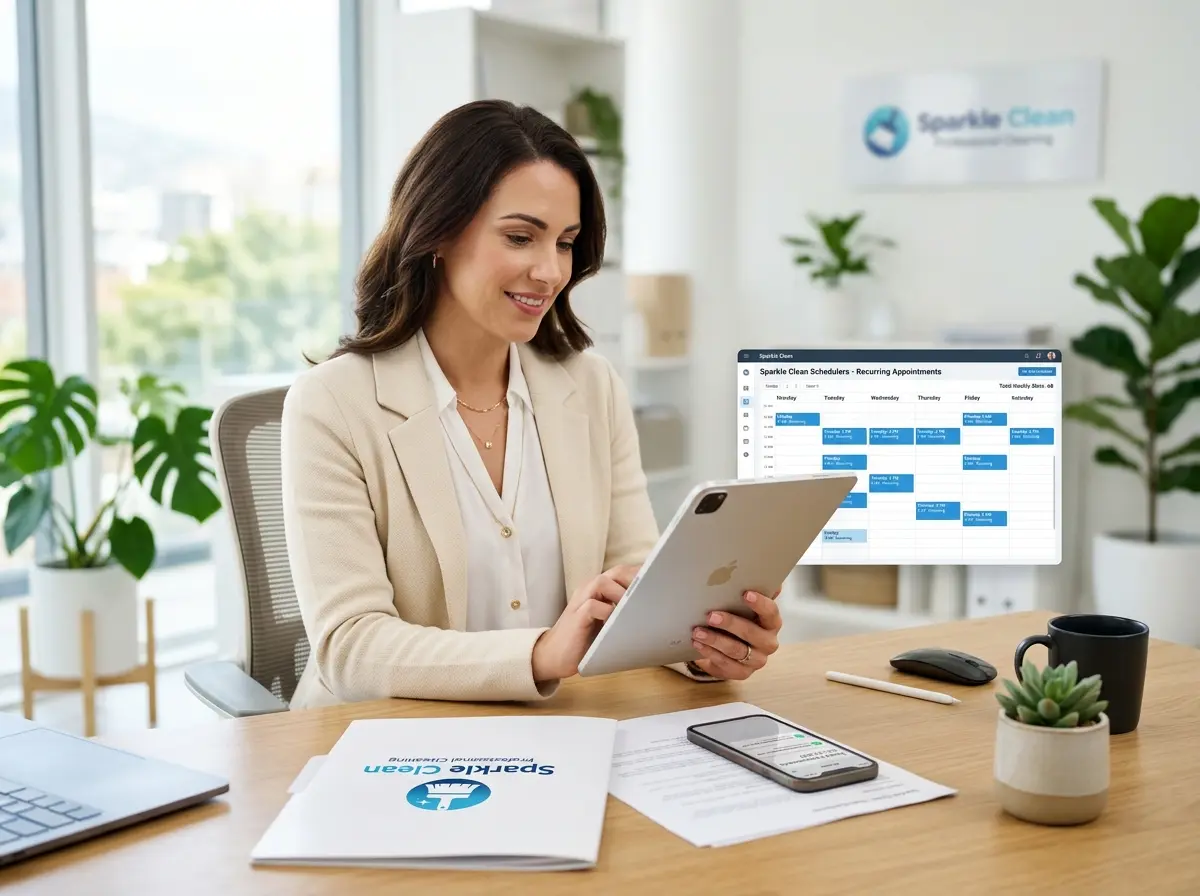
A true recurring appointment system is more than just a calendar with repeat events. It needs to handle client preferences, send automatic confirmations and reminders, process payments on a schedule, and flag any conflicts or cancellations without you having to babysit it. Think of it as a well-trained employee who never forgets, never calls in sick, and never asks for a raise.
At minimum, your system should include: a booking platform that supports recurring schedules (weekly, biweekly, monthly), automated email and/or SMS reminders, a client-facing portal or link to self-schedule, and a way to capture client intake information upfront — things like property size, access instructions, pet situations, and cleaning preferences. Capturing this information once, at the start of the relationship, prevents the "wait, do they have a dog?" panic every single visit.
Choosing the Right Booking Software
There's no shortage of scheduling tools on the market. Platforms like Jobber, HouseCall Pro, Launch27, and Calendly (for simpler setups) all offer recurring appointment functionality tailored to service businesses. When evaluating your options, look for:
- Recurring schedule templates (weekly, every other week, monthly, custom)
- Automated confirmation and reminder messages
- Online payment collection or invoicing
- Mobile access for your cleaning crew
- Integration with your CRM or contact management system
The right platform depends on your business size and workflow. A solo operator with 20 recurring clients has different needs than a company managing 10 crews across multiple zip codes. Start with what fits your current operation, but choose software that can grow with you — migrating platforms later is about as fun as cleaning a hoarder's garage.
Designing Your Recurring Service Packages
Here's a pro tip that many cleaning company owners overlook: packaging your services around recurring schedules makes selling them significantly easier. Instead of quoting a one-time deep clean and hoping the client books again, lead with a recurring plan. Offer a "Weekly Maintenance Clean," a "Biweekly Fresh Start," or a "Monthly Deep Clean" — whatever resonates with your market. Give them a name. Give them a clear price. Make recurring the default, not the upgrade.
When clients sign up for a package, they're mentally committing to an ongoing relationship rather than a one-time transaction. This framing increases retention and makes your revenue far more predictable. Predictable revenue is a beautiful, beautiful thing.
Streamlining Client Intake and Communication With Smarter Tools
How Automation (and a Little AI) Handles the Conversations You Don't Have Time For
Here's where things get interesting. One of the biggest leaks in a cleaning company's booking system isn't the scheduling software itself — it's everything that happens before someone actually books. The phone calls that go to voicemail. The website visitors who had a question but no one answered. The potential recurring clients who simply moved on to a competitor because your line was busy.
Stella, the AI robot employee and phone receptionist, is built precisely for this gap. Stella answers phone calls 24/7, collects client intake information through natural conversation, and can even walk a potential client through your recurring service packages — all without you or your staff lifting a finger. Her built-in CRM stores client details, preferences, and notes so nothing falls through the cracks between the first call and the first cleaning visit. For cleaning companies with a physical location or storefront, she also works as an in-store kiosk, greeting walk-ins and answering questions proactively.
The intake form capability is particularly useful here. Rather than emailing a new client a clunky PDF or hoping your staff remembers to ask about parking instructions, Stella collects that information conversationally over the phone or on the web — and logs it directly into the CRM. It's a genuinely elegant solution to a genuinely annoying problem.
Keeping Clients on the Schedule (Without Begging Them)
Automating Reminders That Actually Work
The most common reason recurring appointments fall apart isn't that clients don't want the service anymore — it's that life gets busy, communication breaks down, and inertia takes over. Your job is to remove every possible reason for a client to drift away. Automated reminders are your first line of defense.
Set up a reminder sequence that sends a confirmation when a recurring appointment is scheduled, a reminder 48 hours before the visit, and a follow-up message after the clean is completed. That post-visit message is often overlooked, but it's gold — it's a natural opportunity to ask for a review, remind the client of their next scheduled appointment, and even upsell a seasonal add-on like window cleaning or refrigerator cleaning. Done right, this sequence runs completely on autopilot and keeps your brand present in a client's inbox without being annoying about it.
Handling Cancellations and Rescheduling Without Chaos
Cancellations happen. The difference between a chaotic business and a smooth one is how your system handles them. Your booking platform should allow clients to reschedule or cancel on their own through a self-service link — ideally with a reasonable cancellation window that protects your revenue (24-48 hours is industry standard). When a cancellation comes in, the system should automatically open that slot for other bookings and trigger a reschedule prompt to the canceling client.
Equally important is a clear cancellation policy communicated at sign-up. Not aggressively — just clearly. Clients who understand the rules upfront are far less likely to cancel at the last minute, and far less likely to feel blindsided if a fee applies. A short, friendly policy statement in your onboarding emails goes a long way.
Turning One-Time Clients Into Long-Term Recurring Accounts
Every one-time cleaning client is a recurring client waiting to happen — they just need a gentle nudge. After completing a one-time job, your automated follow-up sequence should include a soft pitch for a recurring plan. Highlight the convenience, the consistency, and ideally a small discount for committing to a regular schedule (even 5-10% off the standard rate is enough to tip the scales for many clients).
Track your conversion rate from one-time to recurring, and use that data to refine your follow-up timing and messaging. If most conversions happen within 48 hours of a completed job, front-load your follow-up sequence. If clients tend to convert after their second visit, adjust accordingly. Your booking and CRM data will tell you exactly where to focus your energy.
Quick Reminder About Stella
Stella is an AI robot employee and phone receptionist available for just $99/month — no upfront hardware costs, no complicated setup. She answers calls around the clock, manages client intake through conversational forms, and keeps your CRM organized so your team always has the context they need. For cleaning companies juggling multiple clients, schedules, and service packages, she's the kind of always-on support that pays for itself fast.
Conclusion: Stop Scheduling Manually. Seriously. Stop.
Building a recurring appointment system for your cleaning company isn't a luxury — it's a fundamental business infrastructure upgrade that directly impacts your revenue, your client retention, and your sanity. The steps are straightforward: choose the right booking software, design your service packages around recurring schedules, automate your reminder and follow-up sequences, and make it effortless for clients to stay on your calendar.
Here's your action plan to get started this week:
- Audit your current booking process. Identify every manual step that could be automated.
- Choose a scheduling platform that supports recurring appointments and integrates with your payment and CRM tools.
- Create two or three recurring service packages with clear names, prices, and scope of work.
- Build your reminder sequence — confirmation, 48-hour reminder, post-visit follow-up.
- Set up a one-time-to-recurring conversion sequence for new clients who haven't yet committed to a schedule.
You built this business by showing up and delivering great work. Let the systems handle the scheduling, the reminders, and the follow-ups — so you can spend your energy on the parts of the business that actually need you.